
August 5, 2026
Strategy & value Websites & webshops
Website subscription or your own solution? What to check before you sign
A new website is about more than the monthly price. See the difference between open and closed systems, what you actually own, binding periods — and the questions to ask before you sign.

A new website is often presented as a fairly simple choice: should the business pay a fixed monthly subscription, or should it buy its own solution? But the monthly price tells only a small part of the story.
The most important question is not necessarily whether you pay once or every month. What matters is what you actually get access to, who controls the solution, and what happens the day you want to change supplier, change strategy, or extend the website with new features.
Two website solutions can look alike on the surface. Both can have a nice design, a contact form, product pages, news, and social media integration. Even so, they can be fundamentally different. One can be built on an open, portable platform where the business has access to data, files, and administration. The other can be part of the supplier's own platform, where the website only works for as long as the agreement and the subscription continue.
That does not mean a closed subscription platform is automatically a bad solution. For some businesses it offers simplicity, predictable costs, and a single point of contact. The problem only arises when the limitations are not clear, or when the customer believes the business is buying a website that can later be moved, but in practice is only buying access to a service.
In this guide I go through the difference between an open, portable solution and a closed platform. You also get a concrete checklist for the contract, a comparison of the two models, and a series of questions you should ask before you sign.
What does “website on subscription” actually mean?
When a supplier offers a “website on subscription”, the term can cover several different models.
At one end are ordinary websites built on, for example, WordPress, WooCommerce, or a custom solution, where the customer pays monthly for hosting, maintenance, support, and ongoing improvements. The website itself can still be portable, and the customer can have full access to data and code.
At the other end are platform solutions where the supplier owns and runs the underlying system. The customer gets access to use the platform, but normally cannot take the whole website to another supplier. It is more like renting a shop in a shopping centre than owning your own building.
There are also in-between forms. A website can easily be custom-built and at the same time both open and portable. What matters is that the solution is well documented, builds on common technologies, and that another competent developer can get access to code, data, and operational setup and take over the work. Conversely, a closed platform can offer good export options and well-documented integrations.
So you should not settle for asking: “Is it a subscription solution?” Ask instead:
- Which platform will the website be built on?
- Which parts does the business own or control?
- What can be exported?
- Can another supplier take over operations?
- What stops working if the subscription is cancelled?
- Which payments continue during the binding period?
A monthly payment is not the problem in itself. It is the uncertainty about ownership, access, and exit options that can become expensive.
What is an open and portable solution?
Here I use the term “open solution” for a website that is built on a commonly available or documented technical platform, and that can be run by others than the original supplier.
That does not necessarily mean all the code is open source, or that the customer readily owns every single element. A professional website can contain paid themes, fonts, image licences, third-party plugins, integrations, and custom code with different licence terms.
The key point is that the customer is not technically locked to one particular supplier in order to keep the basic website running.
An open and portable solution will typically have several of these characteristics:
- The business is listed as the registrant of its domain.
- The business has administrator access to the website.
- Files and database can be backed up and handed over.
- The solution can be moved to another suitable hosting environment.
- Another competent developer can take over the maintenance.
- Content, images, users, and product data are available in common formats.
- Integrations are based on documented APIs or known standards.
- The support and hosting agreement can be cancelled without the website itself necessarily disappearing.
That is the model I prefer to work with as a rule. The customer should want to stay because the collaboration creates value – not because it is technically or contractually impossible to move on.
That does not mean every business has to manage servers, updates, and security itself. An open solution can easily be delivered as a single, managed service with hosting, backup, monitoring, and support. The difference is that the customer has a real option to change supplier if their needs change.
What is a closed platform?
A closed solution is normally a website built inside the supplier's own platform. The customer gets access to an administration area where text, images, products, and other information can be edited, but does not have access to the complete technical foundation.
It can be compared to other software services used via subscription. You do not necessarily own the system; you buy the right to use it on the terms the supplier sets.
It can have clear advantages:
- The platform is fully developed and can often be set up quickly.
- Hosting, updates, and security are handled centrally.
- The features are tested across many customers.
- Support has in-depth knowledge of the whole system.
- The price can be easy to budget for.
- The customer does not have to deal with servers, plugins, and technical updates.
- New standard features can be rolled out automatically.
For a smaller business with a simple website and limited needs, it can be an excellent solution. A closed platform can also be attractive if the supplier has particular industry knowledge or features that would otherwise be expensive to develop.
The limitation is that the website as a complete solution typically cannot be exported and moved. Text and images can perhaps be retrieved, but design, templates, features, forms, product setup, integrations, and history often stay in the platform.
So when the agreement ends, the business does not just have to find a new web host. In many cases it has to have a new website built.
Comparison: open solution and closed platform
The table shows typical differences. The specific agreement and technical solution can vary.
| Aspect | Open and portable solution | Closed platform or subscription |
|---|---|---|
| Payment model | Can be bought as a project and combined with hosting or a service agreement. Monthly payment need not mean technical lock-in. | Typically delivered as a subscription with access to the platform, operations, and support bundled. |
| Control | The business can normally get access to administration, files, database, and central accounts. | The customer usually gets access to the part of the administration the platform makes available. |
| Portability | Can normally be moved to another suitable host or taken over by another supplier. | The complete solution often cannot be moved. Content and data may be exportable. |
| Design and features | Can be customised more freely, depending on budget, technology, and the quality of the implementation. | Limited to the platform's templates, modules, and roadmap, but standard features are often well tested. |
| Getting started | Often requires more analysis, setup, and technical coordination. | Can often be launched quickly with an established process and ready-made features. |
| Operations and security | Must sit with the customer or a service partner. Can be delivered as fully managed operations. | Handled centrally by the platform's supplier and normally requires fewer technical choices from the customer. |
| Integrations | Good options for API integrations and custom development, if platform and budget support it. | Can be very simple when the desired integration already exists. Other integrations may be unavailable or extremely costly. |
| Changing supplier | Can often happen without rebuilding the whole website, though there can be costs for handover, licences, and cleanup. | Often requires a new website plus migration of content, SEO data, and integrations. |
| Binding | Can be agreed flexibly. Hosting and service can have a notice period without the website itself lapsing. | Can be tied to longer non-cancellable terms, automatic renewal, or payment for the whole period. |
| Total cost | Often a higher setup price, but in return limited ongoing costs. The solution also has greater reuse value and can be developed further rather than rebuilt. | Often a lower or more manageable starting price, but the ongoing subscription costs continue for as long as the solution is used. Over several years the model therefore often becomes more expensive — especially once add-ons, price increases, and a possible rebuild at exit are included. |
| Support | Can be chosen and changed. Quality depends on documentation and the chosen partner. | A single point of contact with specialist knowledge of its own platform. The customer is at the same time dependent on that support organisation. |
| Best suited to | Businesses that see the website as a long-term asset and want the freedom to choose the partner that can best deliver the desired development, SEO, integration, or operations — without being tied to the original supplier. | Businesses with simple standard needs and a wish for a fast start, who accept the platform's framework and contract terms. Be aware, though, that many businesses outgrow the standard solution as they grow. If the solution cannot be moved, a later change can become expensive. |

Data export is not the same as a portable website
Many businesses only discover the difference between data export and real portability when they want to change supplier.
A supplier can quite rightly state that the customer can have their data handed over. That can be, for example, text in a file, products in a spreadsheet, and images as a single folder. That is useful – but it is not the same as getting the website handed over in a form that can be started at another supplier.
A complete, portable website typically consists of more than the content:
- database and relationships between data
- templates and design
- source code or system files
- forms and validation rules
- user accounts and permissions
- redirects and SEO settings
- metadata and structured data
- order history and customer data
- integrations to accounting system, CRM, booking, or payment solution
- cookie and consent setup
- automated emails and workflows
- technical configuration, cron jobs, and background tasks
If you only receive text, images, and a CSV file, you have got the raw materials to take with you. You have not necessarily got the house itself.
So it is a good idea to get the supplier to describe a concrete move-out process before the agreement is even entered into. Ask, if you like, for an answer to this scenario: “If we cancel the collaboration in three years and want another supplier to take over, exactly which files, data, access, and documentation will we then be handed?”
A clear answer is worth more than general phrases like “you own your content, of course”.
The domain must be registered to the business
The domain is one of the business's most important digital assets. It is used not only for the website, but often also for email, advertising, analytics tools, login, integrations, and the business's reputation in the search engines.
For .dk domains it is the registrant who has the right of use and the central authority. So the business itself should be listed as the registrant – not the agency, the salesperson, a former employee, or an unknown technical contact.
A supplier can easily manage DNS, name servers, and renewals on the business's behalf. But the business should be able to document that it is the registrant itself, and that it can get access to the administration.
Also check:
- Who has access to the domain's self-service?
- Which email address receives important messages about the domain?
- Who is listed as the payer?
- Is the domain reseller-managed?
- Can the business change name servers or move the management itself?
- Is the domain linked to email in a way that complicates a change?
A change of supplier should be planned so that domain, website, and email are treated as three separate areas. It is possible to move a website without moving the email, and vice versa. If everything sits in the same opaque package, even a minor change can become unnecessarily risky.
It is also worth making sure the business itself has owner or administrator access to the most important services around the website: Google Analytics, Google Search Console, ad accounts, payment solutions, social media, cookie platform, and any mail services.
What do you actually own?
The word “own” is often used imprecisely in quotes and sales material. So the agreement should distinguish between the different components. As a minimum, the business should clarify ownership and rights of use to:
Content
Text, your own photographs, videos, documents, and product data should be reusable. Be aware of whether the supplier has written text or produced images, and whether the right of use applies without time limit and across media.
Design
A custom-designed visual expression can be developed for the customer, but it can also build on a standard template that the supplier licenses. The customer should know whether the design can be moved, reused, or only used in the current platform.
Code
Custom code can be the customer's, the supplier's, or licensed to the customer. Standard software and third-party libraries have their own licences. That is not necessarily a problem, but it should be clear what the customer gets access to.
Licences
Themes, plugins, fonts, stock imagery, and integration services can be paid through the supplier's overall licence. On a change of supplier the customer may therefore have to buy their own licences, even if the website can technically be moved.
Data
Customer, order, form, and user data should be available in a usable and understandable format. The agreement should also describe how long data is kept after termination.
Access
The business should have, or be able to get, relevant administrator access. Access to edit text is not the same as full administrative access.
A serious supplier does not have to give the customer ownership of its entire general platform or all internal tools. But the customer should be able to understand what is the business's asset, what is a licence, and what is solely part of the ongoing service.

Binding period: look at the total commitment
A binding period can be reasonable. If the supplier invests many hours in the setup, offers a low establishment price, finances the development, or delivers equipment and services up front, a longer agreement can be a way to spread the cost. But the binding must match the real investment and be clear from the start.
It is especially worth investigating:
The length of the binding period
Is the agreement non-cancellable for 6, 12, 36, 48, or 60 months? A low monthly price can hide a considerable total commitment.
The notice period
Must the agreement be cancelled one month, three months, or six months before the period ends? Must the cancellation be made in writing in a particular way?
Automatic renewal
Does the agreement continue month by month, or is it extended by a new, longer period? Does the business get a reminder before a new period begins?
Payment on early termination
Must all remaining subscription payments be paid at once? Is there a separate buy-out amount? Can certain operational services be stopped even though a financing obligation continues?
Price adjustment
Can the supplier change the price during the binding period? Is the adjustment tied to an index, concrete costs, or a general right to change prices?
Add-ons
Do new features start their own binding period? Can a small add-on extend the whole agreement?
Transfer
Can the agreement be transferred to another supplier or another business? What happens on a sale, merger, or closure of the business?
Breach and defects
What options does the customer have if agreed features are not delivered, the website has repeated operational problems, or support does not respond within the promised times?
For business agreements it is often the specific contract, the quote, and the accepted terms that become decisive. The rules for private consumers can be different. On a large or long-term commitment it can therefore be sensible to have the agreement assessed legally before it is signed.
The most important calculation is the total minimum price. A solution at DKK 1,500 a month may seem manageable, but comes to DKK 90,000 over five years – before add-ons, price adjustment, advertising, content work, and any integration costs.
Compare the total cost – not just the monthly price
The price of a website should be assessed as the total cost over the period the business realistically expects to use the solution. Include, among other things:
- establishment and design
- monthly subscription
- hosting and operations
- support agreement
- security and backup
- licences
- ongoing changes
- new pages and features
- integrations
- transaction or revenue fees
- costs for export or moving
- rebuilding on a change of supplier
- internal work time for administration
- price adjustment during the contract period
An own, open solution often has a higher establishment price, but a lower risk of having to start all over on a change of supplier. A closed platform can have a lower starting price, but the real cost depends on the subscription period and on how many extra features the business later needs.
Do three calculations: the cost after 12 months, after 36 months, and after 60 months including a possible change of supplier. That last scenario is often forgotten. If the website cannot be moved, you should include a realistic price for having a new solution built and transferring content, SEO setup, products, and integrations.
Cheapest at the start is not necessarily cheapest over five years. Conversely, the most expensive and most flexible solution is not automatically the right one either. The total cost must be seen in relation to the business's needs and the risk of change.

Flexibility and integrations
One of the biggest differences shows up when the business wants something that does not already exist in the platform. It can be:
- integration to a particular accounting system
- automatic creation of customers and invoices
- special calculations or configurators
- customer portal or login area
- booking with particular rules
- advanced product search
- integration to stock, shipping, or CRM
- multilingual with particular data requirements
- membership features
- industry-specific workflows
On a closed platform the business depends on the feature existing as standard, being available to buy, or being developed by the platform's owner. That gives a uniform and controlled solution, but also a natural limitation.
On a later change of supplier, the new supplier typically does not get access to the source code or the technical logic behind an existing integration. Requirements, data flow, error rules, and particular workflows therefore often have to be uncovered and defined again before the integration can be rebuilt. In an open solution the new supplier has, as a starting point, access to code, documentation, data, and configuration. That makes it possible to assess what can be reused directly, what should be adjusted, and what may need to be recreated.
On an open solution a developer can normally build or integrate more freely. That does not mean everything is easy or cheap, though. Special features require analysis, development, testing, and maintenance. The freedom is an option – not a guarantee of low prices.
So ask the supplier:
- Is there a documented API?
- Can data be both read and written?
- Are there limits on the number of calls or the amount of data?
- Can external developers get access?
- Who owns a custom-developed integration?
- What happens to the integration on cancellation?
- What does it cost to maintain it when other systems change?
A website rarely becomes less important over time. So the platform should be assessed not only on today's needs, but also on the most likely needs over the next three to five years.

Supplier dependence can lie elsewhere than in the website itself
Supplier dependence is not only about whether the website can be moved. It can also arise through a lack of access to day-to-day operations. The business should know who controls:
- DNS and domain
- hosting account
- administrator users
- the database
- source code and version control
- backup
- analytics and ad accounts
- payment agreements
- mail sending
- integration keys
- cookie and consent data
- stock imagery and font licences
If one supplier has all the access, that need not be a problem, as long as the business is registered as the owner, the rights are documented, and there is an agreed procedure for handover.
The problem arises when the supplier uses its own accounts for everything, and the customer cannot be separated out without starting over. It can, for example, be an ad account where history and audiences sit with the agency, or an analytics setup the customer has never had access to.
A simple access overview can prevent a lot. Store information about the system, web address, account owner, administrators, the person responsible for payment, and the procedure on an employee or supplier change. Use the business's shared email addresses where it makes sense, and make sure at least two relevant people can re-establish access.
SEO, data, and history must be part of an exit plan
The SEO value does not lie only in the text. It also lies in URL structure, redirects, metadata, internal links, structured data, image captions, speed, indexing, and the history the search engines associate with the domain.
On a change, the business must therefore be able to get access to:
- a list of all current URLs
- page titles and meta descriptions
- redirects
- sitemap
- robots settings
- structured data
- image files and alt texts
- Search Console and analytics tools
- any landing pages for ads
- information about indexing problems
- form and conversion tracking
If a closed platform cannot be moved, the SEO value can still largely be preserved if the new website is built carefully on the same domain, and all relevant URLs are either carried over or redirected correctly. But a poorly planned change can lead to loss of rankings, traffic, and enquiries. So exit and migration should be treated as a technical project – not just as copying text.
Performance is relevant too. Some platforms are fast and well optimised because the supplier controls the whole technology. Others can be limited by heavy standard templates or many shared scripts. Open solutions can be optimised very precisely, but the quality depends on development, hosting, and maintenance. Ask for concrete measurements on pages that resemble the solution you are buying.
Operations, security, and a service agreement
A professional website requires operations, regardless of platform type. It must be monitored, backed up, updated, and tested. So it is misleading to think that an own solution is always a one-off purchase with no ongoing costs.
The advantage of a closed platform is that the supplier normally takes responsibility for the technical foundation. The customer does not have to coordinate updates of server, core features, and security. In return, the customer has less influence over when and how the platform changes.
On an open solution, responsibility must be placed clearly. Ask, among other things:
- Who updates the system, plugins, and integrations?
- How often is backup taken, and how long is it kept?
- Are backups stored separately from the server?
- How are downtime and errors detected?
- Is there a test environment?
- Who responds to security problems, and with what response time?
- Is restoration included in the price?
- What is not covered by the service agreement?
A good service agreement can make an open solution just as convenient day to day as a platform solution. The difference is that the operations partner can be replaced without the whole website necessarily having to be rebuilt.
It is important, though, that the new supplier can realistically take over. A technically open solution with unmanageable custom code, missing documentation, and many personal server setups can in practice be almost as locked as a closed platform. Quality, documentation, and common standards therefore matter at least as much as the name of the platform.
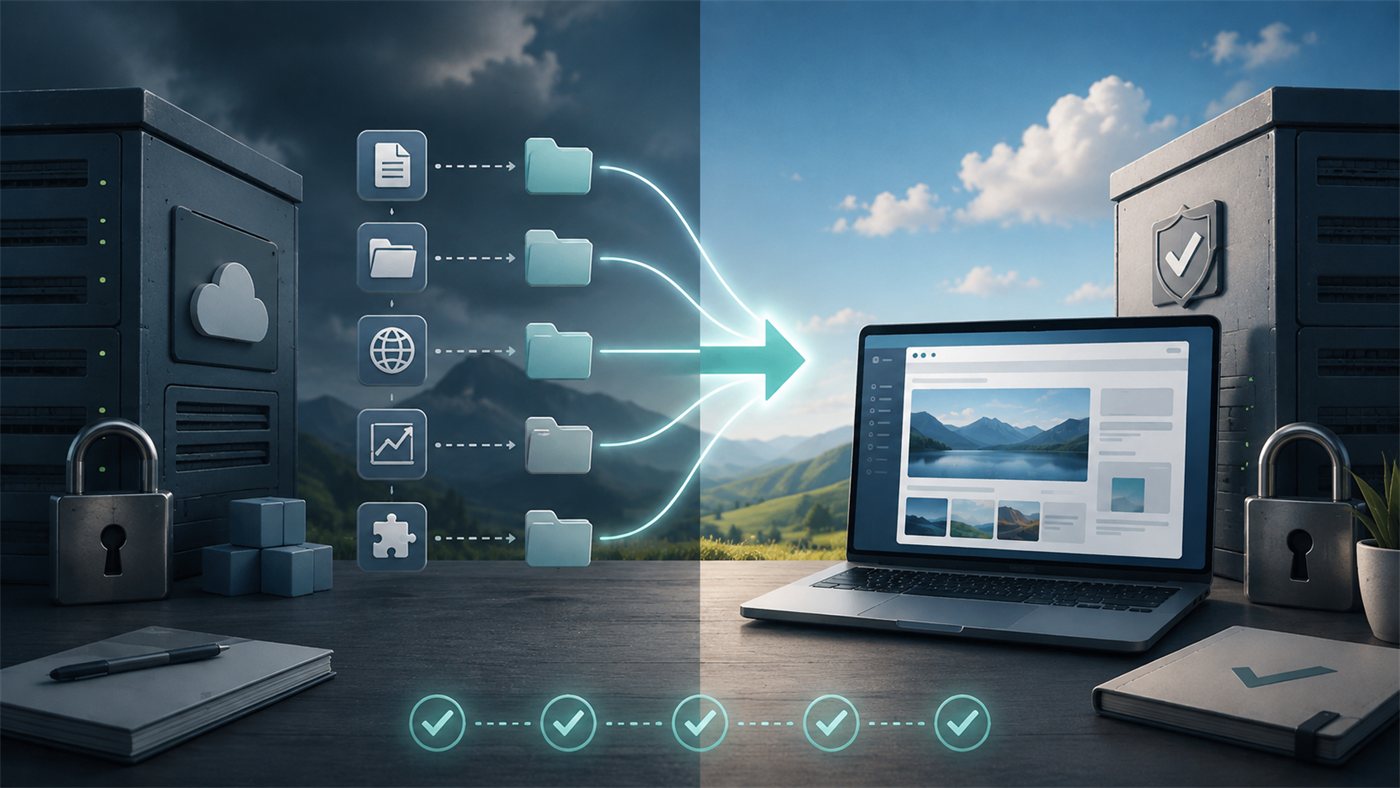
Get an exit plan before you need one
It is recommended that you consult your new supplier before you cancel the existing agreement. That way moving, export, access, and backup can be planned before anything is shut down, and the risk of data loss, downtime, or loss of important history is reduced. If you need help reviewing your current solution or planning a safe change of supplier, contact me today.
Get help with a safe supplier change
I can review your current solution, uncover any lock-ins, and plan a safe handover without unnecessary data loss or downtime.
Imagine the business has cancelled the agreement, and the collaboration stops in 30 days. What needs to be in place for the website to continue without interruption? A usable exit plan should describe:
- Which data and files are handed over.
- In which format they are handed over.
- When the export is carried out.
- Whether the business gets a final backup.
- How the domain and DNS are handed over or changed.
- How email is affected.
- Who closes or moves integrations.
- How personal data is deleted at the former supplier.
- How long access and data are kept after termination.
- Whether the supplier helps the new partner, and what the help costs.
- Who is responsible for redirects, tracking, and testing.
- When subscriptions and third-party licences stop.
- How any outstanding matters or remaining binding are handled.
It is best to agree this while the collaboration is good. An exit clause is not an expression of distrust — it is ordinary risk management. It can also protect the supplier: once the process is described, both parties know what is included, how much assistance the customer can expect, and which extra tasks are invoiced.
Before you cancel the existing agreement, you should consult the supplier who is to take over the solution. The new supplier can help make sure that data, files, domain, email, integrations, SEO information, and necessary access are collected before the former supplier shuts down the system or deletes information. That reduces the risk of data loss, downtime, and expensive rush jobs.
Ready to move on safely from your current supplier?
Get help securing data, access, the domain, SEO, and a controlled transition to the new solution.

25 questions to ask before signing
Before you accept a quote, you should be able to get clear answers to the following questions:
- Which technical platform will the website be built on?
- Is the platform commonly available, or is it owned by the supplier?
- Can the whole solution be moved to another supplier?
- What cannot be moved?
- Do we get administrator access?
- Can we get a complete backup of files and database?
- Who is listed as the registrant of the domain?
- Who owns text, images, design, and custom code?
- Which third-party licences are used?
- What stops working if the service agreement is cancelled?
- What is the total minimum price during the binding period?
- How and when can the agreement be cancelled?
- Is the agreement renewed automatically?
- Can the price change during the period?
- What do extra pages, features, and integrations cost?
- Is there a documented API?
- How is data handed over on termination?
- How long is data kept after termination?
- Who owns Analytics, Search Console, and ad accounts?
- What does help with migration cost?
- How are backup, security, and restoration handled?
- Can another developer take over the solution without the original supplier's permission?
- What happens if the supplier closes, is sold, or changes the platform?
- What is the supplier's concrete responsibility on downtime or data loss?
- Can we take the agreement and all appendices home for review before we sign?
You do not need to demand the most flexible answer on every point. But you should know the answers and choose the limitations deliberately.
It can be hard to assess a new website agreement when the quote mixes design, technology, hosting, support, licences, and binding terms together. I am happy to review the quote and the basis of the agreement before you sign – even if you have already chosen another supplier and are not considering me for the job itself. The aim is not to talk down a particular solution or supplier, but to help you understand what you are buying, what you are committing to, which parts you control, and what options you have if your needs later change.
Get your new website agreement reviewed
Get an extra set of technical eyes on the platform, ownership, binding, ongoing costs, and the options for a future supplier change.
When do the two models make sense?
A closed platform can be a good choice when:
- the business has a simple and fairly standardised website
- a fast start is more important than great technical freedom
- the necessary features already exist in the platform
- the business wants a single supplier
- the budget needs to be very predictable
- no major integrations or special features are expected
- export options and binding terms are acceptable
- the supplier documents operations, security, and support satisfactorily
An open and portable solution is often strongest when:
- the website is a central business asset
- the business works seriously with SEO and content
- integrations or automation are expected
- the solution needs to be able to evolve over several years
- the business wants the freedom to choose hosting and supplier
- data and access must be under the business's control
- there is a need for special features
- a future move must be possible without a total rebuild
- the business wants to avoid long technical or contractual bindings
The choice should be based on risk and strategy – not on whether one model sounds more modern than the other.
You can have the convenience of a subscription without losing control
It is possible to combine the advantages. A business can have an open solution built and at the same time take out a fixed service agreement that includes hosting, security, backup, updates, monitoring, and support. That gives the business a simple everyday and a predictable monthly cost without necessarily giving up the option to change operations partner.
Such a model requires a clear split between the website itself and its data, hosting, software licences, maintenance, support time, ongoing development, and third-party services. If the service agreement is cancelled, it should be clear what continues. The website can, for example, be moved, while premium licences must be replaced, and monitoring and ongoing support stop.
In my assessment that is a healthy way to organise the collaboration. The customer gets professional operations, but keeps a real digital asset. The supplier gets an ongoing relationship, but must continue to create value to keep the customer. There can of course be situations where a binding period makes sense – for example if a large establishment cost is financed over time. In that case the establishment value, term, total minimum price, and the options at termination should be visible and understandable.
Conclusion: choose with your eyes open
A website agreement should not be assessed on the design and the monthly price alone. It should be assessed on what the business controls during the collaboration, and how freely it can act afterwards.
A closed platform can be simple, stable, and economically sensible if the needs fit the system and the terms are clear. An open solution can give greater ownership, flexibility, and long-term value, but still requires professional operations and maintenance.
The most important thing is transparency:
- Do you know what you are paying for?
- Do you know how long you are bound?
- Do you know what you own?
- Do you know which data and access you have?
- Do you know what it costs to move on?
Once those questions are answered, you can choose a solution on an informed basis.
As a rule I build websites and webshops on open, portable technologies. That does not mean the customer has to handle the technical operations itself. Hosting, backup, security, updates, and support can be gathered in a service agreement, but the website should as far as possible be the business's asset – not a hostage in the collaboration.
If you have received a quote for a new website and are in doubt about the platform, binding, ownership, or the real costs, it can be cheaper to have the agreement and the technical model reviewed before you sign than to discover the limitations several years later.
A note on contract terms
This article is general guidance and not legal advice. For large amounts, long binding periods, or unclear terms, the business should have the specific agreement assessed by a relevant adviser. The rules can also differ depending on whether the customer is acting as a business or a private consumer.
Useful official links
- Punktum.dk — The difference between registrant, administrative contact, and payer
- The Danish Consumer Ombudsman — Example of automatic renewal of a binding period