
August 14, 2026
WordPress & WooCommerce Strategy & value
When a WordPress site went down – and the error turned out to be months of hidden malware
A Danish WordPress site suddenly went down. The investigation revealed months of hidden malware, cloaking and reinfection. Here is the case and the lessons.

A Danish content site built in WordPress suddenly went down with a fairly generic PHP error. On the surface it looked like something the usual toolbox could fix: a broken plugin, a failed update, a PHP conflict, or a bug in the theme.
It quickly turned out that the problem was far bigger. The WordPress installation was compromised.
There were files that had no business being in a normal WordPress site. Core files had been modified, and there were clear signs that someone unauthorised had been able to work directly in the file system.
At that point the job changed character completely. It was no longer about finding the one line of code that made the website fail. It was about working out what we could trust at all:
- How long had the compromise been going on?
- How much had been changed?
- Was the database affected?
- Could we trust the backup?
- How had the attacker got in?
- And if the website started working again, how would we know we had not simply reactivated the same backdoor?
That became the start of a case that stretched far beyond the error message the client originally saw. And some of the most important realisations only came after I had declared the site clean.
Before I changed anything, I preserved the evidence
The most tempting thing when a website is down is to start repairing immediately. Delete the suspicious file. Reinstall WordPress. Restore a backup. Get the site online.
The problem is that every single change can also remove information about what actually happened.
So one of the first tasks was to preserve material from the existing installation. Among other things, a complete inventory of the file system was created with file names, sizes, and timestamps, relevant suspicious files were saved, and the database was secured.
Only then was the compromised solution isolated, and a simple temporary landing page was put up so visitors were no longer met by an ugly PHP error — or at risk of hitting compromised content.
That may sound like a small difference in sequence. It was not. Later, that original file inventory turned out to be one of the most valuable data sources in the entire analysis.
The non-technical explanation
If someone has broken into a house, you do not start by mopping the floor and throwing out everything that looks odd. You take photos first. You try to see how someone got in. You examine what has been touched. Only afterwards do you clean up.
A compromised website should be treated in much the same way.
The crash was not the beginning of the attack
The first big realisation came when I started looking backwards.
The site had gone down now. But the traces showed that the compromise had probably been going on for around three months.
That changed the whole perspective. When a WordPress installation suddenly fails, you naturally ask: What happened today? But the interesting question was rather: What has been going on for months without anyone noticing?
The crash was not necessarily the attack. It was simply the first moment the attack became visible to the people who normally used the website.
The website could look completely normal — and still be compromised
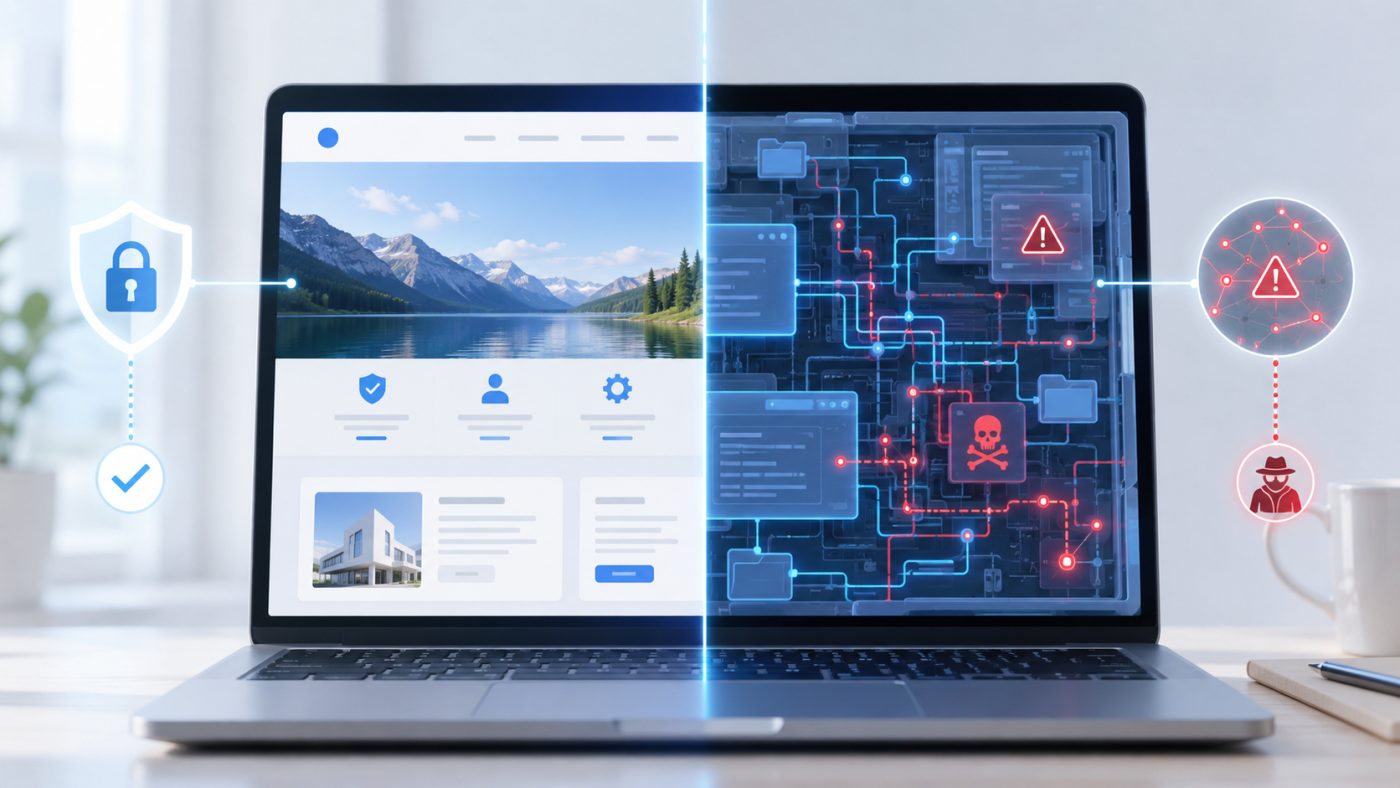
One of the more interesting elements in the case was cloaking. Compromised code could respond differently depending on who visited the website.
The ordinary owner got the normal website. Danish visitors got the normal website. The editorial team could carry on without seeing anything strange. But a search engine, or visitors with certain characteristics, could get something else entirely.
In this case there were signs that search engines and certain foreign visitors were served spam content that ordinary users never saw. There was also manipulation around the sitemap and robots.txt.
That explains how the compromise could live relatively unnoticed for so long.
Picture a shop with two facades
When the owner arrives, the right name is above the door. The goods are in place. Everything looks normal. But when a particular person walks past, the facade, the signs, and the display all change.
If the owner is never shown the alternative facade, it can go on for a long time.
That is what makes cloaking dangerous. You can open your website every morning and see that everything works. That is not the same as everyone else being shown the same thing.
Signs that a WordPress site has been hacked — even when the front page looks fine
Precisely because malware can hide from the owner, it is worth knowing the signals that arrive around the website's front page. In this case, and in similar ones, this is typically what raises suspicion first:
- Google Search Console suddenly reports pages or keywords you never created.
- Your site appears in search results with titles or text in foreign languages.
- The number of indexed pages rises sharply with no editorial explanation.
- robots.txt or the sitemap contains something nobody remembers adding.
- The hosting provider writes about unusual resource usage, spam mail, or malware findings.
- There are files in the WordPress folders with odd names, wrong dates, or extensions that do not match the content.
- There are administrator accounts nobody can put a name to.
- The site fails or behaves differently for outside visitors than it does for you.
None of these points is proof on its own. But several of them at once is a good reason to look closer — instead of waiting for the fatal error.
The database was actually clean
When you find extensive malware in a WordPress site, it is easy to start suspecting everything. But an important part of the work is also establishing what has not been compromised.
In this case there were no signs that the attacker had used the database as a home:
- No hidden administrator accounts.
- No injected WordPress options.
- No hidden scheduled tasks in the database.
- No custom tables or other persistence stored there.
The activity was primarily in the file system. That was both technically interesting and practically important. It reduced the amount of data I had to treat as suspicious, and it also said something about the nature of the attack: the attacker already had the capabilities they needed through the files on the server. There was simply no need to bother with the database.
At some point the compromise became much less discreet
In the early phase, the compromise was good at hiding. Later it became far more aggressive. Core WordPress components disappeared, and a larger web shell was placed on the server.
A web shell is, roughly speaking, code that lets an attacker interact with the server and perform actions without going through WordPress' normal administration.
It was around this point that the website really broke down. Paradoxically, the crash was therefore also what finally triggered the investigation. If the compromise had carried on only showing spam to search engines and other selected visitors, it might have continued for even longer.
A backup made the situation more complicated
Midway through, a backup restore was initiated. That was of course done with the intention of getting the site back. But it introduced a new problem.
The database and the files were not necessarily restored to exactly the same point in time. For a period we therefore had files from one moment and database content from another. At the same time, a few days of editorial content were lost.
That is a fairly significant lesson, because “we have a backup” is often treated as the end of the discussion. It is not. A usable backup strategy is also about knowing what you are restoring. If the database is from Monday and the files are from Thursday, you can end up with an installation that never actually existed in that combination.
Later, something happened that illustrated the problem even better. A completely new database dump was taken directly from production. The backup file was fresh. But the content in the database had already been rolled back. So we had a new backup file that contained old data.
A new file is not necessarily new data. It sounds trivial, but it only matters on the day you actually need it.
First cleanup: as much as possible was rebuilt from source
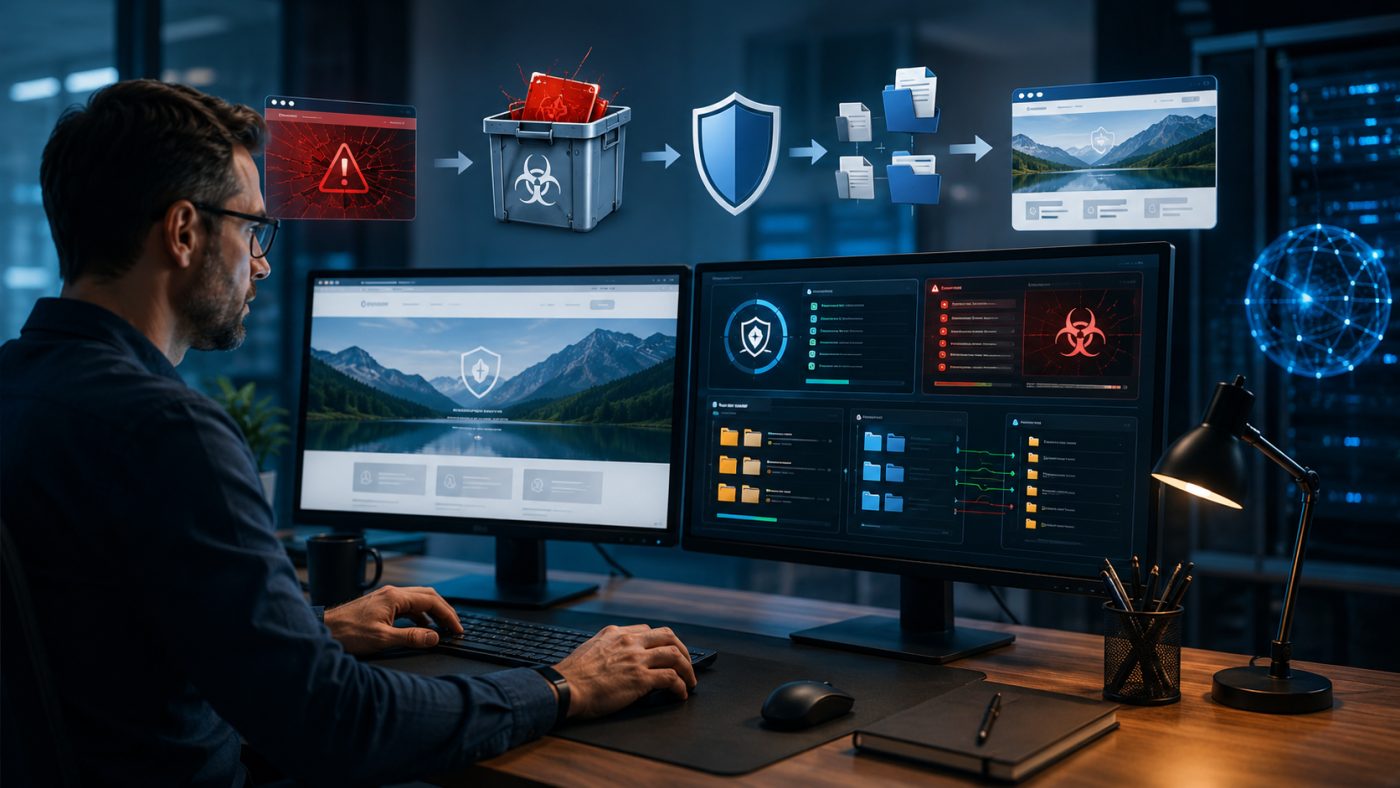
When a WordPress file is compromised, you can of course open it and try to remove the malicious code. But if the file can be fetched again from the original, verifiable source, that is usually far more trustworthy.
So the WordPress core was replaced with a clean copy. Most plugins could likewise be reinstalled directly from official sources. The security keys were replaced so existing WordPress sessions became invalid. The most obvious malicious files were removed, and the installation was checked again.
At that point I had a site that could be verified as clean. It worked. The scans were clean. The compromised files were gone.
And then about two days passed.
The malware came back
New web shells appeared. A fake plugin. The front page was compromised again. The hosting provider reacted and suspended the site.
That was obviously not the outcome you want after an extensive cleanup. But in hindsight, the reinfection was one of the best diagnostic tools in the entire case.
Before the first cleanup I had an installation that had been compromised for months. Everything was mixed together: legitimate changes, old files, new files, malware, updates, cache, uploads. Hundreds of thousands of items.
After the first cleanup, however, I had a known starting point. When something new appeared only a few days later, I could ask a far better question: What has come back, and which possible entry points had I still not closed?
I could find the reinfection route — the original one I could not
It is important to keep those two things apart.
The later reinfection could be linked with reasonably high confidence to a remote-management plugin with a publicly known vulnerability. That specific vulnerability made it possible to bypass normal authentication and reach code installation. Single sign-on was enabled at the same time.
That plugin was one of the ones that could not be fetched again from the ordinary WordPress repository. It had therefore been reused from the previous installation. In other words, the vulnerable component had been put back during the cleanup. That explains the reinfection quite well.
But it is not the same as knowing the cause of the original attack three months earlier. I do not.
The timestamps actually showed that this plugin was only present after the earliest traces of malware. There were other possible candidates — including a different serious vulnerability that fitted the start of the compromise far better in time. But it could not be proved. After months of compromise, after changes on the server, and after backup restores, the necessary traces were simply no longer strong enough.
That is not a gap that should be hidden in the story. It is one of the most important lessons: the longer a compromised system is left standing, the harder it becomes afterwards to establish exactly how it started.
The cleanup had a hole too: the passwords were not changed
The WordPress security keys were replaced during the first cleanup. That was the right thing to do. It forced existing sessions to expire and made old session cookies invalid.
But the administrators' actual passwords were not changed at that point. That only happened later.
It turned out not to be the cause of the reinfection. But methodically it was still a mistake. When you do not know the attack path with certainty, you should not assume that credentials cannot be compromised either. A proper cleanup has to close every reasonable way back in — including the ones you later find out were not used.
It is worth writing about openly, because security work is rarely done with perfect information. You make decisions based on the traces you have. And afterwards you have to be willing to say: that part I should have done differently.
WordPress malware can look like almost anything
Some of the malicious code was not neatly placed in files named evil-malware.php. Quite the opposite.
Some copies had extensions normally associated with images or JavaScript. Others had names deliberately resembling legitimate WordPress files, but with small typos. An extra letter. Two letters swapped. Something the eye slides right past.
That is an important point, because many quick malware checks look for specific file types and known patterns. If you only scan PHP files, but the interesting copy is hidden as something else, you can get a very convincing green result without the installation being clean.
An unexpected clue: the file size
One of the more effective techniques in the case did not come from the file name. It came from the size.
Several of the active malware components had very characteristic file sizes. When I started searching across the whole file system for files with exactly those sizes, copies appeared that other search methods had not caught.
It was a good reminder that compromise analysis can rarely be based on a single property. File names can deceive. Extensions can deceive. Timestamps can be manipulated. A scanner can be wrong. But when several indicators point the same way, the picture starts getting stronger.
The malware did not just survive — it worked against the cleanup
The most interesting layer of the compromise was perhaps its persistence. There was not just one malicious file. There were several components with different roles.
Some could recreate compromised files from hidden copies. Others watched specific files and put the malware back if something was removed. And one component did something even more aggressive: it went through running processes and could terminate other PHP processes before continuing its own work.
In practice that meant the malware was not passively waiting to be deleted. It could actively work against the processes around it, restore its own environment, and carry on.
The non-technical explanation
Imagine you are trying to repair a house. But inside the house there is a person who keeps switching off your tools, refitting the broken door, moving to a new room — and who has hidden four spare copies of the door around the place.
Then the solution is not just to remove the door faster. You have to understand the whole system around it.
The attacker had even “secured” their own files
One particular .htaccess configuration stood out. It aggressively blocked PHP execution. At first glance it could almost look like a security measure.
But a few specific files were whitelisted. Those files were relevant to the attacker.
That turned the whole interpretation around. The purpose was not necessarily to protect the client's WordPress installation. It looked much more like a way of making sure the attacker's own entry points kept working while other code was kept out.
It is a rather neat illustration of why you cannot always decide whether something is “safe” just by looking at the rule in isolation. Context is everything.
A 5 GB website became a file inventory of a few megabytes
The whole installation was around 5 GB and consisted of roughly 281,000 entries. That is an impractical size to analyse over and over.
But a simple list of file name, path, size, and timestamp could be compressed to a few megabytes. And that file became extremely valuable. With it I could examine time patterns, find specific sizes, group changes, and compare folders — without constantly modifying the original installation.
That is one of the things I especially take away from the case. When a compromise is discovered: preserve an inventory early. A file inventory cannot tell you everything. But it can preserve a snapshot of the system before the cleanup starts changing it.
The timestamps started telling a story
When hundreds of thousands of files become a structured list, patterns start appearing. One of them was the time of day.
Suspicious changes fell again and again within the same relatively narrow window early in the morning. Not one day at 14:00, the next at 22:00, and the third at 09:00. The same pattern kept repeating.
That pointed towards automation. A human being eventually hits an afternoon. A scheduled process does not.
Once that time window was known, it could be used as yet another filter to find files that did not necessarily have a suspicious name or a known malware signature. That is exactly the kind of analysis that becomes possible when the original material has been preserved.
The hosting provider had the best history of the vulnerabilities
One of the strongest clues did not, surprisingly, come from the malware files.
The hosting provider had run its own vulnerability scans of the WordPress installation. The history was stored in the database. It showed versions, findings, timestamps, and severity. Suddenly I could see:
- When had different vulnerabilities been left open?
- Which plugin versions were active?
- Which vulnerabilities fitted the earliest traces of the compromise in time?
- What was still present when the reinfection happened?
That became more important than several of the traditional malware scans.
There is a good general lesson in that: if you are dealing with a compromised site, ask the hosting provider more than just “do you have a backup?”. Ask for the data they have already collected. They may have logs and security history that were never visible in the WordPress admin.
A security plugin can create false confidence

The site had a security plugin. That sounds reassuring at first. The problem was the configuration.
Several relevant scan types were switched off — including scanning of plugins and themes. And the email address for security alerts was empty.
So some of the infrastructure for detecting changes was there. But the setup meant that in practice it did not work as the safety line you might assume.
That is perhaps worse than having no security plugin at all. Because the little green icon in WordPress can make an organisation think: that's handled.
But who receives the alert? What does it scan? How often? Which files does it skip? What happens when it finds something? Those are the interesting questions.
This is the difference between an installed security solution and ongoing operations

That is also where a service agreement comes into the picture.
I will not claim that a service agreement can make a WordPress site impossible to compromise. That would not be honest. But it can change when the problem is discovered. And that matters enormously.
In this case there were several conditions that could have prompted action long before the fatal PHP error:
- There was a large number of pending updates.
- There were plugins with known vulnerabilities.
- There were old administrator accounts.
- The security monitoring was inadequately configured.
- And the compromise was allowed to develop over months.
With an active WordPress service agreement with me, that kind of thing is not only checked on the day the website goes down. Updates, security, and known vulnerabilities are followed continuously. Changes in the installation can be caught earlier. Backups are verified. Alerts are sent to someone who actually reacts.
That means we can work proactively instead of reactively:
- A critical vulnerability is discovered before it is necessarily exploited.
- An odd file change can be investigated before the site starts failing.
- An old administrator can be removed before the account becomes a problem.
- A faulty backup can be discovered before it has to rescue the entire website.
In my opinion that is the greatest value in a service agreement. Not that someone clicks “Update” once a month. But that someone is actually watching.
Spot the problem before your visitors do
With a WordPress service agreement, updates, security, known vulnerabilities, and key changes are followed continuously. That makes it possible to react far earlier if something starts to look wrong.
The forensic copies were themselves flagged as malware
A slightly absurd situation arose along the way.
Suspicious files were of course preserved for analysis and documentation. They were placed outside the active web root so they could not be executed as part of the website. That is normally sensible.
But the hosting provider's malware scanner did not only examine the web root. It scanned the whole account. The result was that several of the “malware findings” reported later were in fact my own isolated copies.
The files could not be used to compromise the website where they were stored. But the scanner could of course only see: there is malware here. Not: this malware is here because someone is analysing it.
So the site was kept down because of material that had been saved as evidence. It is a good example of automated security tools being both useful and blind at the same time.
False positives also cost real time
Once you know an installation has been compromised, your view changes. Suddenly every odd file looks suspicious. Being critical is necessary. But it can also create noise.
A legitimate WordPress core file was suspected. A legitimate plugin file was flagged by a scanner. A cache structure had folder names resembling WordPress files and at first glance looked like a nest of malware. None of them was the problem.
What settled them was comparison against known original files and checksums. That is far stronger than “it looks good enough” — or “the scanner printed it in red, so it must be malware”.
Security work is not just about finding as many suspicious things as possible. It is about being able to tell the dangerous ones from the legitimate ones.
I made analysis mistakes myself too
It would be very easy to write a case like this afterwards and make the process look linear. It was not. There were dead ends. There were assumptions that turned out to be wrong. And there were tools that did exactly what I asked them to — but not what I thought I had asked them to.
A copy command, for example, was configured to exclude folders with a particular name. It excluded several legitimate plugin folders further down the tree. The result was that good files disappeared and WordPress started failing. At first it looked like yet another malware problem.
Another search had too shallow a depth and produced a result that could be read as “the file does not exist”. The truth was: I had not looked far enough down.
There was also a cloaking test where two parameters were changed at once. It produced a result, but made it impossible afterwards to say which of the changes had triggered it.
And cache areas were kept out of the scans for periods to reduce noise. In doing so, a large area had also been created that had not been examined.
These are not the parts of a technical case that make the process look most elegant. But they are some of the most valuable. Every mistake taught me something about how the checks ought to be built:
- A negative search result has to be verified.
- Exclusions have to be documented.
- One variable should be changed at a time.
- And a command that “worked” is not necessarily proof that it did what you thought.
Why would anyone hack this particular website?
That question comes up often. The answer is probably: they would not.
There was little to suggest a targeted attack on a specific company. Much more pointed towards automated scanning.
Bots can constantly sweep the internet for known versions of WordPress, plugins, and other systems. When a new vulnerability becomes publicly known, it can be automated. Find the version. Test the hole. If it works, continue.
That means a smaller business is not necessarily uninteresting to an attacker. It does not have to be interesting. It just has to be vulnerable.
A backlog of updates changes the risk picture
The site had a considerable backlog of updates. That is easily treated as ordinary technical maintenance: we'll get the updates done when we have time.
But not all updates are equal. When a known security vulnerability is published, the situation is different. There can now be both public knowledge of how the component fails and thousands of websites still running the old vulnerable version. That is exactly the kind of situation automated scanners love.
It does not mean every update should be installed uncritically in production five minutes after release. An update can also break functionality. But it has to be assessed.
A large backlog makes it much harder to tell ordinary feature updates, compatibility changes, and critical security fixes apart. That is another reason to treat updates as an ongoing operational task rather than a project every six months.
The same goes for plugins and administrators
Many plugins are not automatically a problem. But every plugin is more code that has to be maintained.
There were features on the site that were no longer used. A plugin with no real function still means an update task, an extra supplier, and a possible new vulnerability. That is not an argument for installing as few plugins as possible at any cost. It is an argument that every plugin has to justify its existence.
The same goes for administrator accounts. There were several administrators, including former external partners, who had not been active for a very long time. If a person no longer needs administrator access, they should not have it either.
That is basic housekeeping. But basic housekeeping is often security.
And yes — 2FA is still worth using
Two-factor login is still one of the things I clearly recommend for administrators. But this case also shows why you must not turn 2FA into a magic shield.
If a plugin has a vulnerability that makes it possible to bypass the normal authentication process, it does not necessarily help that the administrator's ordinary login is protected by 2FA.
2FA protects particularly against stolen and reused passwords. Patch management protects against something else. Server configuration against a third thing. Monitoring against a fourth. Security is made of layers.
How I would approach WordPress security after this case
Above all I would avoid turning security into an annual clean-up day. It is the day-to-day operations that make the difference.
| Area | What needs to happen | How often |
|---|---|---|
| Updates | Assess and install WordPress, theme, and plugin updates, with security fixes first | Continuously |
| Known vulnerabilities | Watch vulnerability reports for the components that are actually installed | Continuously |
| Plugins and themes | Remove what is no longer used — every plugin has to justify its existence | Quarterly |
| Users | Review the administrator list and remove old accounts and former partners | Quarterly |
| Backup | Take backups — and test that they can actually be restored, with files and database in sync | Daily / test regularly |
| Monitoring | Make sure scans are enabled and that alerts land with someone who reads them | Continuously |
| File changes | React to changes in core files and new files that cannot be explained | Continuously |
| Access | 2FA for administrators, unique passwords, and control over who has server and hosting access | Continuously |
A healthy WordPress site is a site where someone continuously watches what changes. That is exactly how I work with WordPress service agreements.
The goal is not to promise that nothing can ever happen. The goal is to reduce the risk and shorten the time from something going wrong to us discovering it. That last part is extremely important. Three months of hidden compromise is a completely different job from a suspicious file change found the same day.
In the end the job was about trust — not just about getting WordPress to start
You can get a WordPress site to show its front page fairly quickly. That is not necessarily the same as having resolved a compromise.
After a security incident, the relevant question is not only “does the website work?”. It is: why do we believe we can trust it again?
- Can we trust the WordPress core?
- Can we trust the plugins?
- Can we trust the remaining files?
- Can we trust the database?
- Can we trust our backup?
- Have we closed the known reinfection route?
- Have we dealt with the credentials that could be compromised?
- Is the monitoring set up correctly?
- Can we detect it if something comes back?
That is the difference between repair and re-establishment. One makes the website work. The other tries to make it defensible to put back into use.
The error message was actually the least interesting part of the case
The client came with a website that had gone down. That was the visible problem. But it later turned out that the fatal error was almost a help. It forced us to investigate something that had otherwise been hidden for months.
What I take away from the case
- A website can look completely normal and still be compromised.
- A new backup dump can contain old data.
- An installed security plugin can be nearly worthless if it is not configured.
- A thorough cleanup can still fail if one vulnerable component is reinstalled.
- It can be impossible to prove the original attack path once too much time has passed.
- Scanners can be wrong — and you can make mistakes yourself during the analysis.
- Preserve a file inventory before the cleanup starts changing the system.
And the reinfection, which at first was the worst news of the whole process, ended up being the trace that made it possible to identify the specific way back into the installation.
But the most important point is probably simpler: security is not only about preventing everything. It is also about discovering it quickly when something no longer looks right.
And that is where ongoing monitoring and maintenance make a far bigger difference than yet another security plugin can on its own.
Not sure whether your WordPress site is properly secured?
You do not have to wait for the website to go down. I can review the installation, users, plugins, themes, backup, update status, known vulnerabilities, and the existing security setup.
And if you want someone to keep watching afterwards, that can be gathered into an ongoing service agreement, where the aim is precisely to be able to react before a small security problem becomes a large cleanup job.
Get WordPress under control before something goes wrong
I help with security reviews, cleanup after a compromise, and ongoing WordPress service where updates, vulnerabilities, and key changes are followed proactively.
About the case: The case has been anonymised. Domain, owner, industry, hosting provider, IP addresses, specific control servers, plugin names, and vulnerability numbers have been left out. The original attack path could not be established with certainty. The later reinfection route could, however, be narrowed down with considerably greater confidence. The purpose of this article is to share the defensive and operational lessons from the case.
Leave a comment
Got an experience, a counter-argument or a question? Do join in. Your email address will not be published.