
Service
Integrations & APIs
Finance, payments, shipping, and CRM that talk to each other. So you stop typing the same thing twice.
- REST, GraphQL, webhooks, and file exchange
- Finance, CRM, webshop, payment, and shipping
- Validation, logging, and robust error handling
- Takeover and documentation of integrations

-
API integrations
REST, GraphQL, and webhooks to fetch, create, and synchronise data between systems.
-
System connections
Finance, CRM, webshop, stock, payment, and shipping are connected in a controlled way.
-
Robust operation
Validation, logging, reruns, and clear error handling — not just the connection itself.
-
Takeover
Existing integrations are reviewed, documented, and improved.
What I can help with
When the same information is typed into several systems, both the time spent and the risk of errors grow. An order is created in the webshop, entered again in the accounting system, updated manually in the stock, and perhaps used once more for shipping or customer service. It can work at a small scale, but it quickly becomes fragile when volume, employees, or complexity increase.
I develop integrations and API solutions that move data between systems in a controlled way. It can be orders from WooCommerce to e-conomic, customer data from a form to a CRM system, products from a stock system to a webshop, payments from a gateway, or shipping data to a label platform.
A good integration is not only about getting data from A to B. First we have to clarify which data is relevant, how it should be structured, which system owns the information, which way data may flow, and what should happen when something goes wrong. That is why I emphasise data modelling, validation, logging, reruns, and clear error handling — not just the connection itself.
Typical solutions
- Webshop → finance Orders, customers, and invoices from WooCommerce to e-conomic.
- CRM connection Form or customer data sent automatically to a CRM system.
- Custom API A scoped API for an internal system with documentation and access control.
- Takeover Review, documentation, and improvement of an existing integration.
- Laravel middle layer An integration layer that normalises and connects several systems.
- Automation Should the connection also trigger a workflow? See automation.
Dive into the details
The practical and technical side, grouped so you can jump straight to what matters to you.
API integrations
REST, GraphQL, and other APIs can be used to fetch, create, update, or synchronise data between systems.
Webhooks and events
Systems can react when something happens: an order is created, a payment goes through, a customer is changed, or a file becomes available.
Accounting systems
Integrations to, for example, e-conomic, Dinero, and Uniconta can reduce double entry and create more consistent data flows.
Webshop, CRM, and stock
Products, customers, orders, stock, and statuses can be connected across platforms when the systems give access to it.
Flat files and file exchange
CSV, XML, JSON, Excel, SFTP, and other file formats can be a realistic integration method when a direct API does not exist.
Custom-developed APIs
When an internal system lacks a suitable interface, a scoped API can be developed with documentation, access control, and clear contracts.
Error handling and monitoring
Integrations should be able to log errors, avoid duplicates, rerun failed tasks, and make it clear what has happened.
Takeover and cleanup
Existing integrations can be reviewed, documented, and improved if the code, access, and affected systems are available.
An integration is only good once the data flow is understood
- Which system owns which information?
- Which way should data flow?
- Should the transfer happen immediately or at intervals?
- What is the unique key for customers, products, and orders?
- How are duplicates avoided?
- Which fields are mandatory?
- How is missing or invalid data handled?
- What happens if a system is down?
- Can a failed transfer be rerun safely?
- Who should be notified on errors?
If these questions are not clarified, even a technically correct integration can create problems. Data can be overwritten in the wrong direction, duplicates can arise, or employees can lose trust in the system. That is why the data flow should be described before development begins.
What is a system integration?

A system integration is a technical connection that makes it possible for two or more systems to exchange data or trigger actions. The purpose is typically to reduce manual work, create more consistent data, and make a workflow less dependent on an employee remembering each individual step. An integration can, for example, ensure that:
- A webshop order is created in the accounting system
- A payment updates the order status
- A CRM system receives a new customer enquiry
- A stock system updates the inventory in the webshop
- A shipping platform receives order data
- An internal system fetches prices or product data
- A form creates a case in a support system
- A spreadsheet is imported into a database
- An external service receives a webhook
Integrations can be small and scoped or part of a larger architecture with many systems. The complexity depends not only on the number of systems, but also on data volume, business rules, error scenarios, and requirements for timeliness.

There is no single integration method that is always the right one. The choice depends on the systems' options, data volume, speed, security, stability, and maintenance.
| Type | Typical use | Advantages | Limitations |
|---|---|---|---|
| REST API | Standard exchange between web systems | Widespread, understandable, and often well documented | Can require many calls and handling of rate limits |
| GraphQL | Flexible fetching of exactly the desired data | The client can choose fields and relations | Requires good schema understanding and can be more complex |
| Webhooks | Event-based messages | Fast reaction without constant polling | Requires a receiving endpoint, security, and redelivery |
| Flat files | Batch exchange via CSV, XML, JSON, or Excel | Practical for older systems and large combined extracts | Not always real-time and requires strong validation |
| SFTP/FTP | Secure or traditional file transfer | Well suited to scheduled file flows | Errors and version control must be handled clearly |
| EDI | Standardised B2B data exchange | Well suited to trade, logistics, and larger partners | Can be heavy and supplier-specific |
| Database integration | Direct reading or writing | Fast and flexible in controlled environments | High coupling and risk if the database changes |
| Message queue | Asynchronous processing via a queue system | Robust under load and temporary errors | Requires more infrastructure and operations |
| Scraping | Data extraction from user interfaces or websites | Can be used when no official access exists | Fragile, and legally and operationally riskier |
REST API
REST APIs are one of the most common ways to connect modern systems. Data is typically exchanged as JSON over HTTP, and actions are organised around resources such as customers, orders, products, or invoices. A REST integration can, for example, fetch an order with GET, create a customer with POST, update a product with PATCH or PUT, and delete a scoped resource with DELETE. REST is often a good choice because the technology is widespread and relatively easy to document. But a stable integration still requires handling of authentication, pagination, rate limits, timeout, version changes, and error statuses.
GraphQL
GraphQL lets the client specify exactly which fields and relations are wanted. That can be an advantage if a system has complex data and a REST solution would otherwise require many separate calls. GraphQL can reduce over- and under-fetching of data, but it requires an understanding of schema, queries, mutations, field types, and error format. GraphQL is not automatically better than REST — it is an alternative that makes sense when the system's API and data form support it.
Webhooks
A webhook is a message from one system to another when a certain event happens. Instead of asking every five minutes whether a new order has arrived, the webshop can send a message immediately — for example on order created, payment completed, subscription renewed, customer updated, or stock changed. Webhooks require strong reception: the endpoint must validate the sender, handle repeated deliveries, and respond quickly. The heavy processing should often be placed in a queue so the sender does not experience a timeout.
Flat-file exchange
Flat files are still relevant. Many finance, stock, production, and industry systems can export or import CSV, XML, JSON, or Excel, even though they do not have a modern API. A file flow can, for example, be:
- System A exports a CSV file every night
- The file is placed on SFTP
- The integration fetches the file
- Data is validated and transformed
- Valid rows are imported into system B
- An error report is saved or sent
- The file is archived with a status
File exchange can be stable and economically sensible when real-time is not necessary. It does, however, require clear rules for file names, encoding, separators, date formats, decimals, empty values, version changes, and duplicates.
EDI
EDI is often used between businesses for orders, invoices, deliveries, and stock messages. It can be based on standards or supplier-specific formats. EDI can be robust in established value chains, but it requires precise mapping and agreement on message types, fields, and acknowledgements. It is rarely something you just switch on without technical and business clarification.
Database integrations
Direct database access can be relevant in some internal environments, but it should be used with caution. A database is often an internal implementation detail and not a stable public contract. If a system is updated, tables or relations can change, and direct writing can bypass business rules, validation, and audit logs. So an official API should be preferred when one exists.
Message queues and asynchronous processing
For larger data volumes or critical flows, messages can be placed in a queue. That means reception and processing are separated, so temporary errors can be handled with retries, load can be distributed, the sender does not have to wait, and failed messages can be placed in a dead-letter queue. Queue-based solutions require more operations and monitoring, but they can be the right architecture when the integration is business-critical or has many events.
Scraping — only when there is no better access
Scraping means data is fetched from a website or user interface rather than through an official API or an export function. Technically, scraping can be possible, but it should normally be a last resort. HTML structure, login flows, bot protection, or field names can change without notice, and that makes the solution more fragile than an official integration. Before scraping is considered, you should clarify whether there is an API, an export, or file exchange, whether the supplier can give access, and whether terms and legislation permit the data collection — especially if personal data or copyrighted content is involved.
Data must be structured correctly
An integration cannot make unclear data unambiguous without rules. If the same customer exists with three different names, or products lack a stable item number, the data situation must be clarified. Important questions:
- Which fields exist in both systems?
- Which fields must be transformed?
- Which values are mandatory?
- How is null, empty text, and missing fields handled?
- Which date and time format is used, and which time zone applies?
- How are currency and decimals represented?
- How is the same customer or order identified?
- Are there references between data objects?
- Which values must be mapped between the systems?
An example: one system uses order status “paid”, while another uses “2” or “Betalt”. The integration must have a clear mapping and know the consequence if an unknown status is received.
Which system is the master?
For each data area there should be a system that is considered the authoritative source. The webshop may own order data, the accounting system owns bookkeeping status, the stock system owns the inventory, CRM owns sales notes, and a PIM owns product texts and images. If both systems may freely overwrite the same information, conflicts can arise. So it must be described which systems may create, update, and delete data.
| Data area | Master system | Receiving system | Direction |
|---|---|---|---|
| Core product data | PIM | Webshop | PIM → webshop |
| Stock inventory | Stock | Webshop | Stock → webshop |
| Order | Webshop | ERP | Webshop → ERP |
| Payment status | Payment gateway | Webshop | Gateway → webshop |
| Invoice status | Accounting system | Customer service | Finance → customer service |
| Customer notes | CRM | None or selected systems | Controlled |
Data flow — how should the information flow?

The data flow should be described visually or in a table before development. It should be clear what starts the flow, which systems are involved, which data is sent, which transformations and validations are performed, which system is updated, what is returned, and what happens on errors. An example:
- A customer completes an order in WooCommerce
- WooCommerce sends a webhook
- The integration validates the signature and order ID
- The order is placed in a queue
- The customer is looked up in e-conomic
- The customer is created or matched
- Line items are mapped to products and accounts
- An invoice draft is created
- The external ID is saved on the WooCommerce order
- The result is logged
- On errors an alert is created, and the task can be rerun
One-way or two-way synchronisation?
One-way synchronisation is often simpler and more robust. Data flows from the master system to the receiver. Two-way synchronisation can be necessary, but it creates more questions:
- What happens if both systems change the same field?
- Which change wins?
- How are timestamps compared?
- Can an update create an infinite loop?
- How is the source of the change traced?
Two-way synchronisation should not be chosen just because it sounds flexible. It must have a concrete business reason.
Real-time, near real-time, or batch?
Not all data needs to be moved immediately. Real-time is relevant for payment, checkout, access control, or events that require a fast reaction. Near real-time is typically processed within seconds or minutes via a queue or scheduled jobs. Batch moves data together every hour, night, or week and can be sufficient for product feeds, reporting, or financial extracts. Faster is not always better — real-time often increases complexity and availability requirements.

Strong error handling is part of the integration
All external systems can fail. The API can be down, an access token can expire, data can be invalid, or rate limits can be reached. A robust integration should take into account timeout, network errors, 4xx and 5xx errors, invalid authentication, rate limiting, missing fields, unknown values, duplicates, partially completed flows, and changes in API version.
Logging
Logging should make it possible to answer which event was received, when it happened, which systems were involved, which internal and external key was used, whether the processing was completed, and otherwise which error arose. Logs should not uncritically store passwords, tokens, or unnecessary personal data.
Retries and backoff
Temporary errors can often be solved by automatic retry. But the integration should not send hundreds of fast repetitions to a system that is down. A solution can use exponential backoff and a limited number of retries. Permanent validation errors should normally not be rerun automatically without changing the data.
Idempotency and duplicates
Idempotency means the same event can be processed again without creating a new unwanted result. If a webhook is delivered twice, the integration should not create two invoices. That requires stable keys, status, or idempotency keys.
Dead-letter queue and manual handling
When a task cannot be completed after several attempts, it should not just disappear. It can be placed in a separate error queue with the reason and relevant data so it can be examined and rerun.
Alerts and responsibility
It should be agreed who is notified on errors. Not all errors require an SMS at three in the morning, but critical payment or order flows can require a fast reaction. Alerts can be split by severity: info, warning, error, and critical.
Security and access
Integrations often work with sensitive business data and personal information. Access should be limited to what is necessary. It can include:
- OAuth 2.0
- API keys
- Signed webhooks
- IP restriction
- Service accounts
- Encrypted transport
- Secret management
- Rotation of credentials
- Limited scopes
- Audit logs
Passwords and tokens should not be hardcoded in public code or sent unencrypted in ordinary emails.
API versions and maintenance
An API is not necessarily static. Suppliers can phase out versions, change fields, or adjust limitations. An integration should therefore have a known API version, documented dependencies, monitoring of errors, a plan for updates, a test environment where one exists, and contact with the system owner or supplier. An integration is not a one-off file that never needs to be seen again — critical connections should be maintained.

Standard integration or custom development?
An existing standard integration should be assessed first. It can be cheaper, faster, and maintained by the supplier. Custom development can be relevant when the standard solution lacks necessary fields, the data flow is business-specific, several systems need to be connected, special validation is required, error handling and logging are insufficient, the licence model is unsuitable, or the integration is to be part of a larger internal system.
| Aspect | Standard integration | Custom integration |
|---|---|---|
| Start-up | Often fast | Requires analysis and development |
| Price | Typically subscription or licence | Project price and possible operations |
| Flexibility | Limited to the supplier's features | Adapted to concrete needs |
| Maintenance | The supplier updates | Must be agreed and handled |
| Error logging | Varies | Can be designed as needed |
| Ownership | Typically limited | Agreed for code and documentation |
API development for your own systems
Some businesses have an internal system that needs to be usable by an app, webshop, partner, or other service. Here an API can be developed as a stable interface. An API should, among other things, describe resources and endpoints, request and response format, field types, validation rules, authentication, permissions, error statuses, pagination, rate limits, a version strategy, and documentation. An API should not just expose the database directly — it should protect business rules and limit access to what is necessary.
Typical integrations I can help with
The possibility always depends on the specific systems' documentation, access, and terms, but typical tasks include:
- WooCommerce to e-conomic, Dinero, or Uniconta
- WordPress to CRM
- Form to support system
- Payment to order status
- Order to shipping label
- Stock to webshop
- Product data to webshop
- Membership system to access control
- Custom system to finance
- Laravel system to a third-party API
- CSV/XML import and export
- Webhooks between SaaS systems
A concrete example is described in the guide on integrating a webshop with an accounting system, where the benefits and typical pitfalls are reviewed. WordPress and WooCommerce have a REST API, webhooks, hooks, and plugin options; the technical development is handled on the pages about WordPress development and WooCommerce development. Laravel and other frameworks can act as a data source, receiver, and integration layer under custom development in Laravel.
What does an API integration cost?
The price depends on the systems and the data flow. A simple integration with well-documented APIs can be relatively scoped. A two-way synchronisation with many objects, poor data quality, and complex error scenarios requires more analysis and testing. The price is affected, among other things, by:
- The number of systems
- API quality and documentation
- The form of authentication
- The number of data objects
- One-way or two-way synchronisation
- Real-time or batch
- Data mapping and transformation
- The amount of historical data
- Error handling and monitoring
- Test environments
- Security requirements
- Documentation, operations, and maintenance
For unknown systems, the task can begin with a paid analysis or a proof of concept. I do not give a fixed price without knowing the systems, but scope and prerequisites are described before the work begins.
Should the data flow be part of a larger automated workflow?
See the Automation service if the integration should also trigger actions, approvals, documents, or internal workflows.
Why work directly with a freelance API developer?
You have direct contact with the person who analyses and develops the integration. That reduces the risk of technical details being lost between sales, project management, and development.
I work with WordPress, WooCommerce, Laravel, accounting systems, payment, shipping, automation, and APIs. That makes it possible to assess the integration in the context of the affected workflows. For complex ERP, security, legal, or accounting matters, relevant specialists or system suppliers can be necessary. You can read more about me and see selected cases.
How it works
- 01 You describe the systems The names of the systems, the current workflow, and the desired result. Documentation and links help a lot.
- 02 Access & data mapped REST, GraphQL, webhooks, or file exchange is clarified; data objects, keys, and master systems are described.
- 03 Data flow & error scenarios The flow is drawn; timeout, duplicates, retries, logging, and alerts are described, and the solution is scoped.
- 04 Development & testing Proof of concept first if needed; connections, mapping, queues, and error flow are developed and tested with realistic scenarios.
- 05 Operation & documentation Controlled go-live with monitoring, documentation, and any operations or support agreement.
Selected cases
All cases-
 WooCommerce shop with an automated catalogue Vooma.dk
A Danish web shop with over 12,000 products on WordPress and WooCommerce. The catalogue arrives from a supplier feed, orders are forwarded automatically, and search, menu and offers are rebuilt to survive that volume.
See case
WooCommerce shop with an automated catalogue Vooma.dk
A Danish web shop with over 12,000 products on WordPress and WooCommerce. The catalogue arrives from a supplier feed, orders are forwarded automatically, and search, menu and offers are rebuilt to survive that volume.
See case
-
 Custom client portal and back office Mickeyr.dk Client Portal
A custom Laravel platform for SEO, tasks, documents, and finances — one simple view for the client, and a far more detailed back office behind it.
See case
Custom client portal and back office Mickeyr.dk Client Portal
A custom Laravel platform for SEO, tasks, documents, and finances — one simple view for the client, and a far more detailed back office behind it.
See case
-
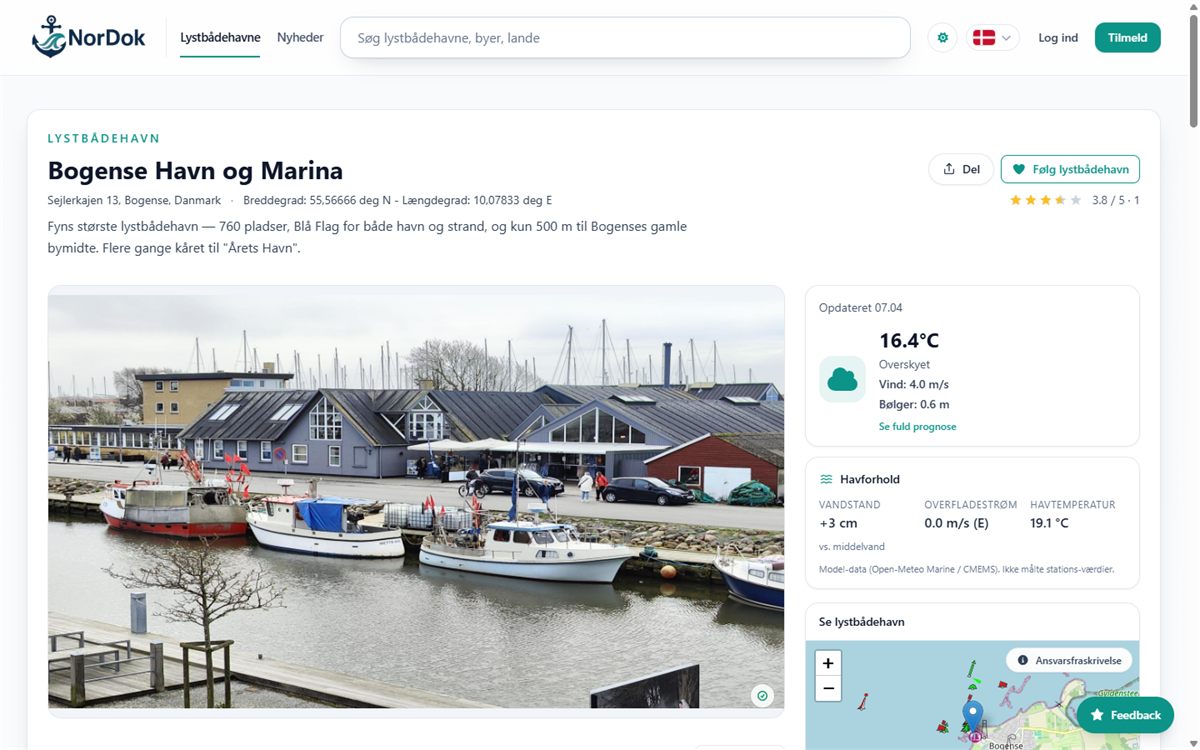 Nordic SaaS & content platform NorDok
A data-driven Nordic platform for marinas — Laravel API, Nuxt frontend, automated data collection, and more than 5,300 harbours in five languages.
See case
Nordic SaaS & content platform NorDok
A data-driven Nordic platform for marinas — Laravel API, Nuxt frontend, automated data collection, and more than 5,300 harbours in five languages.
See case
Frequently asked questions
What is an API integration?
An API integration connects systems through a defined technical interface so data can be fetched, created, or updated automatically.
What is the difference between REST and GraphQL?
REST typically organises data into fixed endpoints, while GraphQL lets the client query exactly the desired fields. The best choice depends on the specific API.
What is a webhook?
A webhook is an automatic message that one system sends to another when a certain event happens.
Can you integrate systems without an API?
Sometimes. File exchange, SFTP, database access, or other methods can be possible, but must be assessed specifically.
Can CSV be used as an integration?
Yes. CSV can be a sensible solution for scheduled batch flows if the format, validation, duplicates, and error handling are clearly defined.
Can Excel files be used?
Yes, but a stable machine-readable format like CSV, XML, or JSON is often easier to validate. Excel can still be relevant in certain workflows.
Can you work with XML?
Yes. XML is still used in many finance, logistics, and industry systems.
Can you work with EDI?
Yes, if the format, partner requirements, and documentation are available. EDI tasks often require close clarification with system suppliers.
Can scraping be used as an integration?
Technically sometimes, but it should normally be a last resort. It also requires clarification of terms, legality, personal data, and operational risk.
Can you integrate WooCommerce with e-conomic?
Often yes. The data flow, products, customers, VAT, accounts, and the specific e-conomic agreement must be clarified.
Can you integrate with Dinero or Uniconta?
The possibility depends on API access, documentation, and the desired data flow.
Can you integrate with Stripe or Quickpay?
Yes, depending on the specific gateway, access, and documentation.
Can you develop a new API?
Yes. An API can be developed for an internal system if resources, access, validation, and a version strategy are clarified.
Can you take over an existing integration?
Yes, if the code, access, documentation, and affected systems are available. A technical review is recommended.
What does master system mean?
The master system is the authoritative source for a particular data area. It normally decides which system may overwrite the information.
What is two-way synchronisation?
It means data can be updated in both directions. It requires clear rules for conflicts, timestamps, and loops.
Does data have to be moved in real-time?
Not necessarily. Some flows require seconds, while others can run every hour or night.
How are duplicates avoided?
By using stable unique keys, external IDs, idempotency keys, and a check before creation.
What happens if an API is down?
The integration should log the error, retry according to agreed rules, and alert if the problem persists.
Can failed transfers be rerun?
Yes, if the integration is designed for it. Reruns must be safe and must not create duplicates.
What is rate limiting?
It is a limit on how many API calls may be made in a period. The integration must respect the limit.
How are API keys secured?
They should be stored in a suitable secret management or environment setup and not hardcoded in public code.
Does the integration store personal data?
It depends on the flow. Only necessary data should be processed and logged, and responsibility must be clarified with the customer.
Can you guarantee that an integration never fails?
No. External systems and networks can fail. The goal is robust handling, visibility, and the ability to recover.
What does an integration cost?
It depends on systems, documentation, data mapping, direction, error scenarios, and operational requirements.
Can you give a fixed price?
Yes, once scope, access, and prerequisites are sufficiently clear. Unknown APIs can require an analysis first.
How quickly can you start?
It depends on current capacity and the task. Access and documentation also affect the start.
What should I send with the first enquiry?
Send the names of the systems, links to API documentation, sample data, the desired data flow, and the current manual workflow. Do not send credentials unencrypted.
Do you document the integration?
Yes. The scope is agreed based on the size and criticality of the solution.
Who owns the code?
It is described in the agreement. The customer normally owns the agreed deliverable after payment, while third-party software follows its own licences.
Can the integration be moved to another developer later?
Yes, within technical and licence frameworks. Documentation, code access, and clear dependencies make the handover easier.
Ready to take the next step?
Tell me what you are dealing with and what you want to achieve — you get an honest take on scope, options, and the next step.
- 12+ years of experience
- Personal sparring
- No long lock-ins
- Focus on results
- Peace of mind & support