
Service
Automation
Routine tasks that run by themselves. I connect your systems and remove the manual work — orders, emails, documents, and cases that move on their own.
- Mapping of manual, repeated workflows
- Workflows, integrations, and API connections
- n8n, custom code, or a standard integration
- Logging, error handling, and monitoring

-
Workflow automation
Flows that react to forms, emails, files, orders, and status changes.
-
System integration
Data moved between WordPress, WooCommerce, finance, CRM, and more.
-
n8n & APIs
The least complex solution that meets the requirements reliably.
-
Robust operation
Logging, retries, alerts, and manual checkpoints.
What I can help with
Many businesses spend time every week on tasks that follow the same steps over and over: data is copied from one solution to another, emails are sorted manually, documents are saved in several places, orders are keyed in again, and employees have to remember to follow up on certain events.
These are not always large or complex processes. Often they are small repetitions, each taking only a few minutes, but which together create unnecessary work, waiting time, and the risk of errors.
I help businesses map these workflows and assess where automation genuinely makes sense. It can be a simple connection between two systems, a workflow in n8n, an API integration, automatic handling of forms, or a more connected process across several solutions.
The work begins with the process — not the tool. First we need to understand what happens today, which data is involved, where the errors occur, and what still requires human judgement. Then we can choose a solution that fits the task and can be maintained.
Typical solutions
- Workflow in n8n A manageable flow that connects steps and systems visually.
- System integration Two systems connected so data is not entered twice.
- Form → CRM/finance Enquiries and orders passed on automatically.
- AI in the workflow Classification or summary as one component.
- Custom automation Special rules or a large data volume solved with code.
- Operations & monitoring Logging, error handling, and ongoing adjustment after launch.
Dive into the details
The practical and technical side, grouped so you can jump straight to what matters to you.
Mapping workflows
We go through the process step by step and find repetitions, bottlenecks, manual handovers, and places where data is lost or has to be entered several times.
Workflow automation
Automated flows can react to forms, emails, files, orders, status changes, calendar events, and other concrete triggers.
Integration between systems
Data can be moved between, for example, WordPress, WooCommerce, accounting systems, CRM, spreadsheets, databases, mail platforms, and internal solutions.
API integrations
When systems offer API access, a controlled connection can be developed that sends, fetches, or updates data according to agreed rules.
n8n and automation platforms
n8n can be well suited to manageable workflows, integrations, and scheduled processes, but the choice depends on requirements for operations, security, and maintenance.
Documents, emails, and forms
Automation can help create, name, sort, validate, and forward information from documents, emails, and forms.
Monitoring and error handling
A workflow should not only work when everything goes right. Logging, alerts, retries, and manual checkpoints are an important part of the solution.
Operations and further development
After launch, workflows can be monitored, documented, and adjusted when systems, APIs, or workflows change.
Good candidates for automation typically have
- Clear and repeated steps
- Data in a reasonably consistent format
- A known starting point and a clear result
- Rules that can be described
- A measurable amount of manual time spent
- A responsible employee or process owner
- A plan for exceptions and errors
- A reasonable balance between gain, cost, and risk
A task is not automatically suited to automation just because it is repeated. If the process changes all the time, the data is unstructured, or each case requires professional judgement, full automation can create more problems than it solves. In such cases, partial automation can be a better choice.
What is workflow automation?

Workflow automation means that software performs one or more actions that would otherwise require manual effort. It can be moving data, creating a task, sending a message, checking a status, generating a document, or calling another system.
An automation normally begins with a trigger. It can be, for example, a customer filling in a form, an order changing status, a file being placed in a folder, or a certain time being reached. Then a series of steps is carried out according to fixed rules. A simple workflow can look like this:
- A customer fills in a form.
- The information is validated.
- The customer is created in the CRM system.
- A task is created for the responsible employee.
- The customer receives a confirmation.
- Errors or missing information are sent to manual handling.
Automation is therefore not necessarily about advanced artificial intelligence or large software projects. A simple, stable connection between two systems can provide more value than an extensive solution if it removes a concrete and frequent manual task.
Which tasks make sense to automate?
The best candidates are often tasks that are repeated frequently and follow reasonably fixed rules. It is especially relevant when employees spend time copying data, checking the same conditions, or sending standardised messages. Typical examples are:
- Creating customers and contacts
- Transferring orders to an accounting system
- Creating invoice drafts
- Synchronising product or stock data
- Sorting and forwarding forms
- Creating support or sales cases
- Sending internal notifications
- Generating documents from templates
- Following up on missing information
- Scheduled reports and data extracts
- Updating status across systems
- Archiving and naming files
A task is particularly interesting if it both takes time and has a real risk of error. Double entry of customer information can, for example, create different addresses in the webshop, accounting system, and CRM. An integration can reduce that kind of inconsistency, if it is at the same time clear which system is the master for the information. I have written more about how automation saves manual work, with concrete examples.
What should not be automated uncritically?
Not all processes should be fully automated. Some tasks require experience, situational understanding, or responsibility that should not be removed from the employee. This applies, among other cases, when:
- The rules change often
- Data is incomplete or contradictory
- An error can have major financial or legal consequences
- The task requires professional or ethical judgement
- The process is only carried out very rarely
- There is no clear process owner
- The systems do not give stable access to the necessary data
- The expected gain is smaller than the development and operating cost
Partial automation can often be more responsible. The system can, for example, gather information, suggest a category, and create a draft, while an employee checks and approves the result.
Process before technology

It is tempting to begin with a particular tool. But if the process is unclear, the automation usually becomes unclear too. Before development, we should therefore be able to describe:
- What starts the process?
- Which information is involved?
- Where does the information come from?
- Which system owns the data?
- Which rules should be applied?
- Which exceptions exist?
- What is the desired result?
- Who is responsible if something fails?
- How are errors detected and handled?
It may turn out that the current process contains steps that are no longer necessary. In that case, the process should be simplified before it is automated. Otherwise you simply risk carrying out a poor workflow faster.
Integration between systems

Many automations are in practice about getting existing systems to work better together. The business may already have the necessary solutions, but data is moved manually between them. It can, for example, be connections between:
- WordPress and CRM
- WooCommerce and an accounting system
- Forms and case management
- Booking and calendar
- Webshop and shipping platform
- Mail and project management
- Database and reporting
- Spreadsheets and internal systems
- Support system and documentation
An integration should have clear rules for the direction. If customer data can be changed in both CRM and webshop, it must be decided which system takes precedence. Otherwise the systems can overwrite each other or create an endless synchronisation. Larger or more connected connections fall under integrations and APIs, and I have described a concrete example in the guide on integrating a webshop with an accounting system.
API integrations
An API is a technical interface that makes it possible for systems to exchange data and perform actions. When a system has a well-documented API, it can often be connected more reliably than through manual export files or screen automation. An API integration can, among other things:
- Fetch customers, products, or orders
- Create or update records
- Check status
- Receive webhooks on events
- Start a process in another system
- Synchronise limited data types
API access does not, however, mean that everything is possible. The provider can have limitations on features, data volume, speed, licence, or rights. The documentation and the current terms must therefore be checked before the solution is finally planned.
n8n, custom code, or a standard integration?

There are several ways to build an automation.
A standard integration can be sufficient if the systems already offer exactly the connection the business needs. It is often the simplest solution if it is stable and maintained by the provider.
n8n or a similar workflow platform can be well suited when several steps need to be connected visually, and the solution consists of known integrations, API calls, and logic. It can make workflows more manageable and quicker to change.
Custom code can be relevant when the requirements are special, the data volume is large, there are complex rules, or the workflow platform's limitations create problems. In return, custom code requires documentation, testing, and maintenance. The choice should take into account:
- Complexity
- Data volume
- Uptime requirements
- Security
- Logging
- Error handling
- Licence costs
- Internal skills
- The need for future changes
- The risk of supplier dependency
There is no single technique that is always best. The least complex solution that meets the requirements in a stable way is often a good starting point.
Automation in WordPress and WooCommerce
WordPress and WooCommerce can be part of many types of workflows. It can, for example, be forms, membership data, orders, products, customer data, or publishing. Examples can be:
- Form submitted → contact created in CRM
- WooCommerce order → invoice draft created
- Order status changes → stock or shipping updated
- New user → welcome flow and internal tasks created
- Product data changes → information synchronised to another system
- Document uploaded → file named and archived
It is important to distinguish between an automation task and technical debugging or custom development in the solution itself. Debugging, custom features, and further development fall under WordPress development and WooCommerce development.
Automation in administration and customer service
Administrative processes often contain repeated steps, but they can also contain exceptions. That is why it is important to understand the whole flow. An enquiry can, for example:
- Be received through a form or email.
- Be validated for necessary information.
- Be categorised by subject.
- Be created in a case or support system.
- Be assigned to the relevant employee.
- Trigger a confirmation to the customer.
- Be escalated if it is not handled within a deadline.
Here AI can possibly help with a suggestion for a category or a summary. But responsibility, control, and data processing must be clarified. AI is in this example only one component in the workflow.
Do you need advice on AI rather than a concrete workflow?
On the AI consultant and AI advisory page you can read about tool selection, teaching, guidelines, and testing AI in the business.
Data, security, and access
Automations often work with customer data, order information, documents, or internal information. That is why access and data processing must be planned from the beginning. Among other things, it is relevant to clarify:
- Which data the workflow processes
- Where data is sent
- Which system accounts are used
- Who has access to credentials and API keys
- How secrets are stored
- Whether data is logged
- How long logs are kept
- What happens on errors
- Whether data processing agreements or a legal assessment are necessary
I do not provide legal advice, but I can help map the technical data journey and make the dependencies understandable. For sensitive, regulated, or legally complex matters, a relevant specialist should be involved.
Error handling is part of the solution

A workflow is not finished just because it works in the normal scenario. There will be missing data, temporary API errors, expired access tokens, changed fields, and other exceptions. A robust solution can therefore have:
- Validation before data is sent
- Logging of significant events
- Automatic retry on temporary errors
- Notification to a responsible person
- A queue for manual handling
- Idempotency, so the same action is not carried out several times
- Checking for duplicates
- Clear error messages
- A documented recovery procedure
It is rarely realistic to promise that a workflow never fails. The goal is that errors are detected quickly, do not cause unnecessary harm, and can be handled in an understandable way.
Documentation and ownership
Automations can become business-critical. That is why the business should know what the workflow does, which systems it uses, and how it is stopped or changed. Relevant documentation can, among other things, include:
- Purpose and process description
- A diagram of the data flow
- A list of systems and accounts
- Triggers and actions
- Rules and exceptions
- Error handling
- The location of code or workflow
- The responsible owner
- A procedure for changes
Ownership and access are described in the agreement. Third-party platforms, licences, and services are subject to their own terms. If the solution is on the customer's account or server, the customer should have the necessary administrative access.
What is typically included in an automation project?
The specific content depends on the task. The table below can be used as a general explanation, but it is not a fixed package — the individual points are agreed for the specific project.
| Area | Can be included | Note |
|---|---|---|
| Process mapping | Yes | Current process, problems, and goals |
| Requirements and scope | Yes | Rules, data sources, and exceptions |
| Technical analysis | Yes | APIs, access, and limitations |
| Proof of concept | As needed | A limited test before the full solution |
| Workflow development | Yes | n8n, custom code, or another method |
| Integrations | By agreement | Depends on systems and API access |
| Test data | Yes | Representative but responsibly handled data |
| Error handling | Yes | Logging, notification, and retries |
| Documentation | Yes | Scope agreed in the SOW |
| Operations setup | By agreement | Hosting, credentials, and monitoring |
| Training | By agreement | A walkthrough for relevant employees |
| Ongoing support | Optional | Operations, changes, and troubleshooting |
Simple automation or a larger workflow?
The scope depends on the process. The table below shows typical differences between a simple automation and a larger workflow.
| Aspect | Simple automation | Larger workflow |
|---|---|---|
| Number of systems | Typically 1–2 | Often several |
| Rules | Few and clear | More branches and exceptions |
| Data | Consistent | Several data types and sources |
| Error handling | Basic | Extensive logging and queues |
| Operations | Limited | Can be business-critical |
| Testing | Few scenarios | Many realistic scenarios |
| Documentation | Short | More detailed |
| Further development | Rarely | Often ongoing |
The table is a general explanation. The specific scope depends on the process. A technically small integration can be critical, while a longer workflow can be relatively harmless. Risk is not assessed only from the number of steps.
What does automation cost?
The price depends on the process, the number of systems, API access, data quality, rules, error handling, and operational requirements. A simple integration between a form and a CRM is a different task from a workflow that handles orders, documents, and financial data across several systems.
The price is affected, among other things, by:
- How clear the process is
- The number of systems and connections
- The quality of the API documentation
- The need for custom code
- The number of rules and exceptions
- Data volume
- Security requirements
- Logging and monitoring
- Test scenarios
- Documentation
- Hosting and operations
- Ongoing support
I do not give a fixed price without knowing the task. Before the start, scope, prerequisites, responsibility, and price are described. For larger tasks, a SOW — Statement of Work — is drawn up.
How is the value measured?
Automation should have a clear purpose. It can be time savings, fewer errors, shorter response time, better data quality, or more consistent handling. Before development, it can be useful to record:
- How often the process is carried out
- How long it takes
- How many employees are involved
- Which errors typically occur
- How much waiting time the process creates
- Which tasks require checking afterwards
After launch, the same factors can be assessed again. That does not mean all gains can be measured precisely, but it provides a better basis than general assumptions.
I do not promise a particular time saving before the process has been examined and the solution tested. An automation can also move the work rather than remove it, for example if it requires extensive control or creates many exceptions.
Why work directly with a freelance digital consultant?
With me, you have direct contact with the person who maps the process and is close to the technical solution. That makes it easier to keep the connection between business, data, and implementation.
I work across WordPress, WooCommerce, Laravel, API integrations, n8n, accounting systems, support processes, and AI. That makes it possible to assess the automation in the context of the business's existing systems.
That does not mean all specialities are done alone. For larger security, infrastructure, legal, or industry-specific needs, relevant specialists can be involved. You can read more about me and see selected cases.
How it works
- 01 You describe the process What employees do today, which systems are used, and where the problem arises. It need not be technical.
- 02 Workflow & access mapped Starting point, data, rules, responsibility, and exceptions; APIs, webhooks, licences, and limitations are examined.
- 03 The solution is scoped Workflow, testing, error handling, documentation, and responsibility described; for larger tasks a SOW. Optional proof of concept first.
- 04 Development & testing Integrations, rules, and actions are built; normal flows, missing data, duplicates, and errors are tested.
- 05 Go-live & operations Approval, optional gradual launch, documentation, and handover; then monitoring and ongoing improvement.
Selected cases
All cases-
 Custom client portal and back office Mickeyr.dk Client Portal
A custom Laravel platform for SEO, tasks, documents, and finances — one simple view for the client, and a far more detailed back office behind it.
See case
Custom client portal and back office Mickeyr.dk Client Portal
A custom Laravel platform for SEO, tasks, documents, and finances — one simple view for the client, and a far more detailed back office behind it.
See case
-
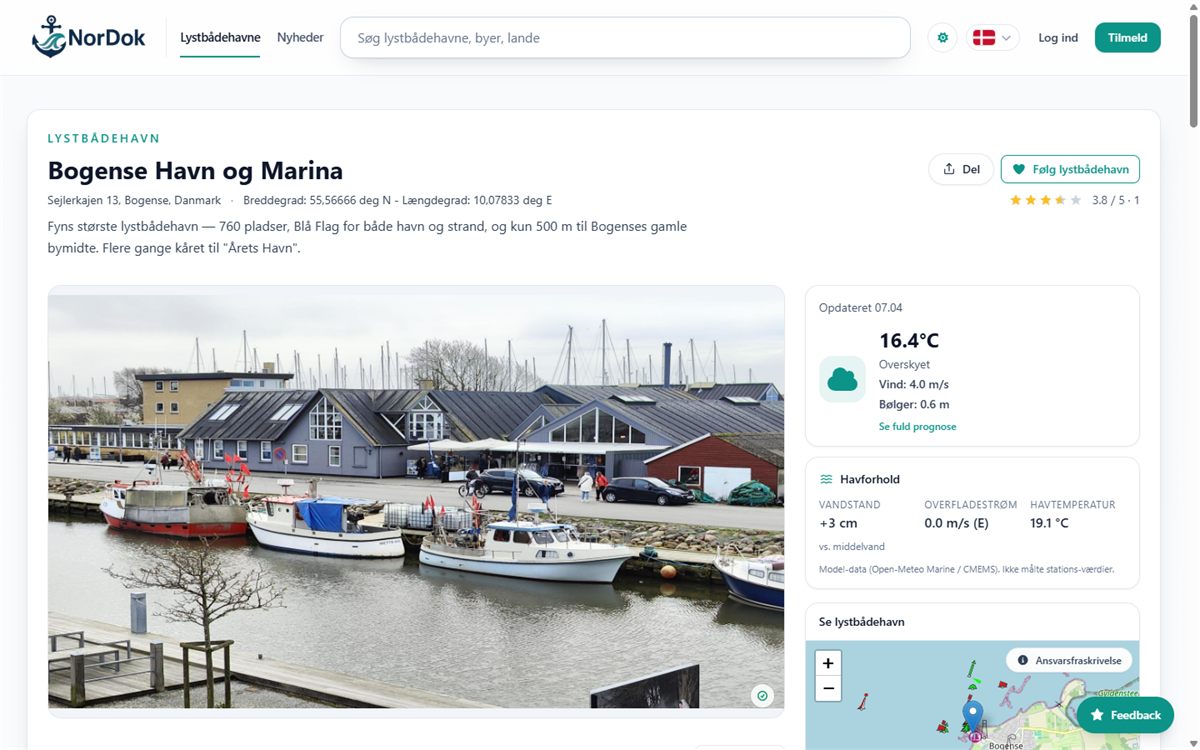 Nordic SaaS & content platform NorDok
A data-driven Nordic platform for marinas — Laravel API, Nuxt frontend, automated data collection, and more than 5,300 harbours in five languages.
See case
Nordic SaaS & content platform NorDok
A data-driven Nordic platform for marinas — Laravel API, Nuxt frontend, automated data collection, and more than 5,300 harbours in five languages.
See case
-
 Custom booking system Himmelev Kattepension
A custom booking system, customer portal, and intelligent administration in WordPress — with capacity calculation, Google Calendar integration, and AI chat.
See case
Custom booking system Himmelev Kattepension
A custom booking system, customer portal, and intelligent administration in WordPress — with capacity calculation, Google Calendar integration, and AI chat.
See case
Frequently asked questions
What is process automation?
Process automation means that software carries out fixed steps in a workflow, for example moving data, creating records, sending messages, or checking status.
Which tasks can be automated?
Tasks with repeated, clear steps and consistent data are often good candidates. The specific suitability must be assessed based on process, risk, and economy.
Can all manual tasks be automated?
No. Tasks with many exceptions, unclear rules, or a need for professional judgement can be unsuitable for full automation.
What is the difference between automation and AI?
Automation performs actions according to rules. AI can, among other things, classify, summarise, or generate suggestions. AI can be part of a workflow, but it is not necessary for automation.
Do you work with n8n?
Yes. n8n can be used for workflows and integrations when it fits the task. The choice is assessed based on requirements for operations, security, and maintenance.
Can you connect our systems?
Often yes, if the systems offer an API, webhook, export, or other suitable access. Options and limitations are examined before the start.
What is an API integration?
It is a connection where systems exchange data or perform actions through a documented technical interface.
Can you integrate WooCommerce with e-conomic?
It can often be done, but the specific data flow, subscription, API access, and accounting process must be clarified.
Can you automate invoicing?
Parts of the invoicing process can often be automated, for example creating drafts or transferring order data. Rules, control, and responsibility must be agreed specifically.
Can you automate emails?
Yes, for example confirmations, internal notifications, follow-up, and forwarding. Content, consent, and error handling must fit the purpose.
Can documents be processed automatically?
Yes, in some cases documents can be named, sorted, converted, or have fixed information extracted. The result depends on format and data quality.
Can AI read the documents in the workflow?
It can be possible, but data requirements, error risk, and the need for control must be assessed. The AI part is treated as a component in the workflow.
Can the automation run around the clock?
Yes, if the chosen operation and the systems support it. Uptime also depends on third-party APIs, hosting, and maintenance.
What happens if a system is down?
The workflow should have an agreed strategy, for example retries, a queue, logging, or notification to a responsible employee.
How do you avoid duplicates?
It requires clear unique keys, checking before creation, and a concrete strategy for reruns and idempotency.
Is automation secure?
A sensible level of security can be established through access control, limited rights, secure storage of credentials, logging, and updates. No solution can be promised risk-free.
Do you process personal data?
It depends on the workflow. The data flow, systems, and responsibility must be mapped, and relevant data protection requirements handled.
Can you guarantee a particular time saving?
No. The gain depends on the process, data quality, exceptions, and the need for control. It can be assessed more realistically after mapping and testing.
What does an automation cost?
The price depends on systems, rules, data volume, integrations, testing, and operations. Scope and price are described before the start.
Can you give a fixed price?
Yes, once the task and the prerequisites are sufficiently clarified. Exploratory or ongoing parts can be agreed by time spent.
What is a proof of concept?
It is a limited test of the most uncertain or critical part. The purpose is to create knowledge before a larger investment.
How long does an automation project take?
It depends on complexity, access to systems, API documentation, test data, and feedback. The timeline is agreed in the project description.
What typically delays the project?
Missing system access, unclear rules, poor data quality, undocumented exceptions, and waiting time at third-party providers are common causes.
Who owns the workflow?
Ownership and access are described in the agreement. Third-party platforms and licences are subject to their own terms.
Does the workflow have to be hosted with you?
No. Depending on the solution, it can be on the customer's environment, with me, or with a relevant third-party provider.
Do you offer operations and monitoring?
Yes, it can be agreed separately. The scope can include monitoring, error handling, updates, and minor changes.
Can the workflow be changed later?
Yes, but changes in systems, data, and rules must be assessed and tested. Documentation makes further development easier.
Can you take over an existing automation?
Yes, if there is access to the workflow, code, accounts, and documentation. Before changes, the solution should be reviewed technically.
Can automation replace employees?
Automation can remove or reduce certain manual tasks, but that does not automatically mean whole roles can or should be replaced.
Do we need a finished specification?
No. It is enough to describe the process, the problem, and the systems involved. The clarification can be part of the process.
Can you review a quote from another supplier?
Yes, I can help assess scope, architecture, dependencies, and technical prerequisites. It is not legal advice.
Ready to take the next step?
Tell me what you are dealing with and what you want to achieve — you get an honest take on scope, options, and the next step.
- 12+ years of experience
- Personal sparring
- No long lock-ins
- Focus on results
- Peace of mind & support
Related expertise
Already know the technical detail you need? These deep-dive pages go a step further.