
August 18, 2026
AI can now translate sign language straight into text – and it is bigger than it sounds
Google DeepMind's new SL2T model translates sign language into text through the phone camera. Here is what it does, where it fails, and why it matters.
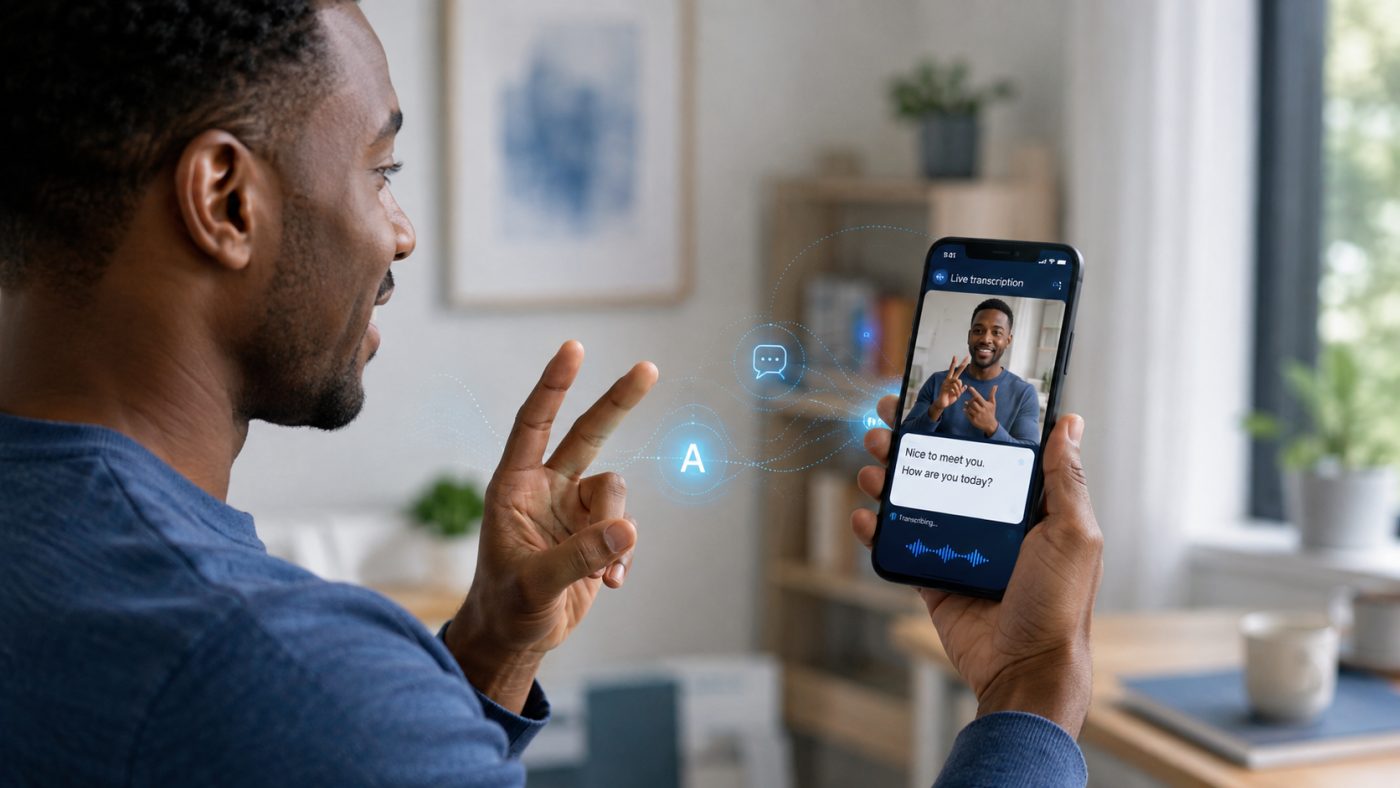
By now we have grown used to our phones understanding what we say. We dictate messages. We talk to digital assistants. We get videos captioned automatically. And if the keyboard feels too slow, we can just say it out loud.
But that development has largely been built around spoken languages. For people who use a sign language as their primary language, no equally well-functioning input layer has existed.
Google DeepMind has now started to change that.
On 12 August 2026, Google DeepMind presented a new model called SL2T — sign-language-to-text. The model can see sign language through the phone's camera and translate it directly into written text.
And the most interesting part is not really the model itself. It is that the technology is now moving out of the lab and into ordinary products.
Picture speech-to-text — just with sign language
The first release supports American Sign Language, ASL, to English. It has launched in Gboard and Live Transcribe on the Pixel 11, and Google says more devices are coming.
Instead of typing a message with their fingers on the screen, the user can sign in front of the camera. The phone then turns the signs into text.
In practice that means the user can:
- write messages
- search the web
- write documents
- ask Gemini questions
- use sign language as input in apps where you would normally use the keyboard
The technology is also used in Live Transcribe, where a Deaf user can respond in sign language during a conversation and have the response turned into text.
That may sound like a relatively small feature. But from an accessibility perspective it is something else. Speech has already become a first-class input format in our digital systems. Sign language has not.
Sign language is not just “spoken language with your hands”
That is also one of the reasons the problem is harder than you might initially assume.
A sign language is not simply Danish, English, or another spoken language where each word has been replaced by a particular hand movement. Sign languages are independent natural languages with their own grammar, vocabulary, and structure.
Meaning is also created with more than the hands. Facial expressions, head movements, the upper body, placement in space, and movement patterns can all be part of the language.
So the task is not simply: “recognise the hand sign and find the matching English word.” The system has to both understand a complex visual sequence and then translate between two different languages.
That is slightly more ambitious than a camera that can recognise a thumbs-up.
More than 100,000 hours of sign language
According to Google DeepMind, SL2T is trained on more than 100,000 hours of data across over 50 different sign languages. Roughly a quarter of the material is American Sign Language.
Part of the point of training the model on many different sign languages is that it can learn some of the visual and linguistic structures that recur across the datasets. DeepMind says their multilingual approach outperformed models trained on a single sign language in their own experiments.
That is interesting for another reason. The first product version is indeed ASL to English. But the foundation is not built as a purely American special case. Google says more sign languages will follow.
That does not mean we will have automatic Danish-sign-language-to-Danish on our phones tomorrow. The current product version is ASL → English.
The camera does not send the video on
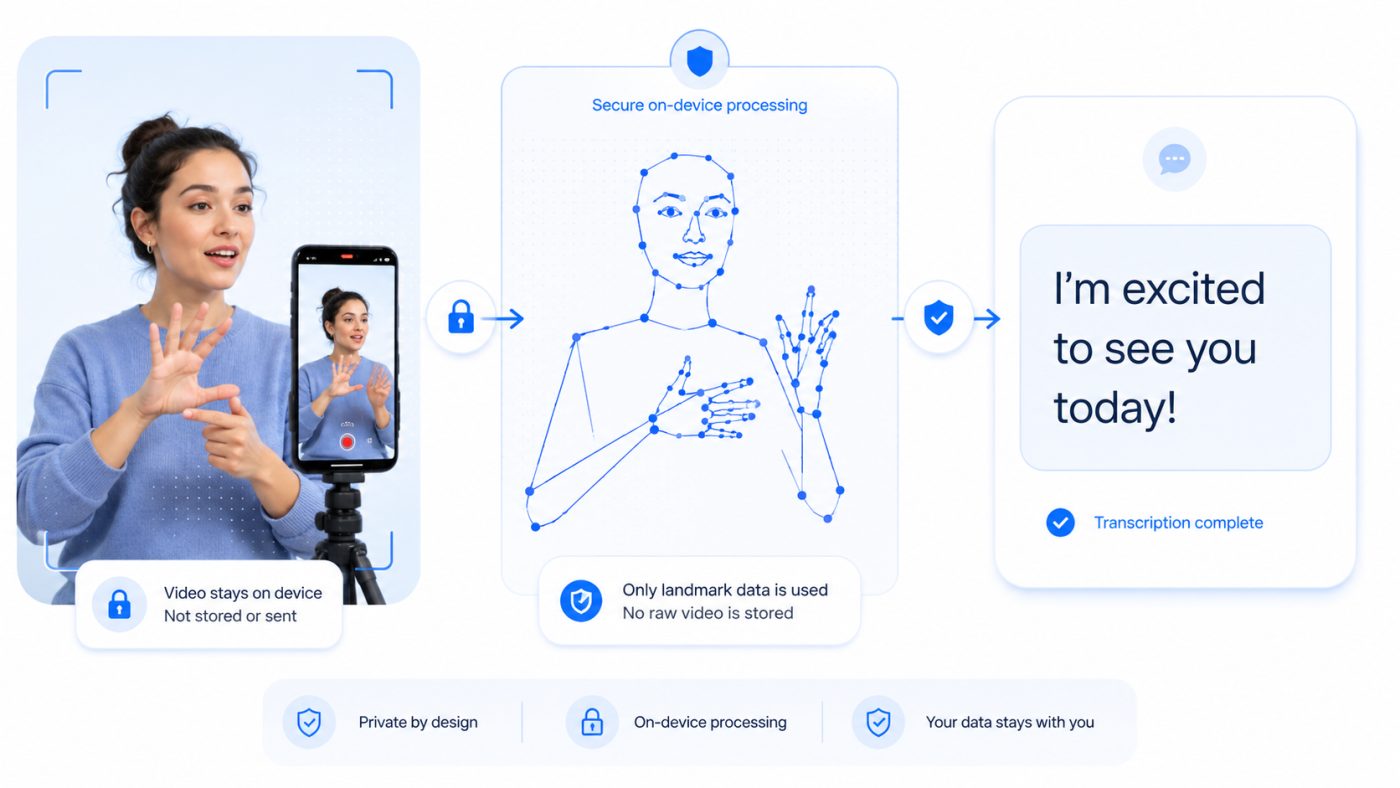
When you hear “the AI films a person signing”, another question comes up fairly quickly: what happens to the video?
Here Google has chosen an interesting architecture. The phone uses a local model to identify a set of points on the user's face, body, and hands. What gets sent on to the translation model is therefore not the photorealistic camera image, but geometric coordinates for the body's movements.
The video itself is processed on the device and discarded immediately. According to the accompanying impact report, Google also does not retain logs of the user's input or output, unless the user has specifically authorised it as part of a model evaluation study.
Technical detail
The input is 2D coordinates for 130 key points across the face, body, and hands, extracted frame by frame using MediaPipe Holistic.
The more interesting choice, though, is that the model translates directly from those coordinates into text. Earlier work on machine translation of sign language has typically gone via an intermediate step called glosses — a kind of written annotation of the individual signs. The problem is that glosses capture the non-manual elements and spatial usage of the language poorly, and they impose an artificial ceiling on vocabulary. Skipping the intermediate step lets quality scale with the amount of data instead.
It is a good example of a point that keeps getting more important with AI: you do not always have to send all the raw data to the AI just because you technically can. You can often reduce the data to what the model actually needs.
There are still errors
And here it is worth turning down the AI fanfare a little. SL2T is not a perfect digital sign language interpreter. Google and their advisory committee describe several limitations themselves. The model can have trouble with:
- rare and regional signs
- signs with several possible meanings
- rapid fingerspelling
- complex grammatical constructions
- facial expressions and other so-called non-manual markers
- names and abbreviations
- poor lighting and harsh backlighting
- unusual camera angles
Classic AI problems such as hallucinations have also been observed, where the system generates text that was not actually signed. According to the impact report this happens for instance if a second person enters the frame, or if the person signing pauses to gather their thoughts.
A related failure mode has been given the name “ghost text”: in earlier builds, leaving your hands stationary in the frame after finishing a phrase could trigger text generation. The report also notes that speech after signing may still be erroneously transcribed via lipreading.
That may sound less impressive. But I actually think it makes the launch more interesting. Because Google has not only published the polished demos. They have also defined areas where the technology should not be used.
No, it should not replace a sign language interpreter at the hospital
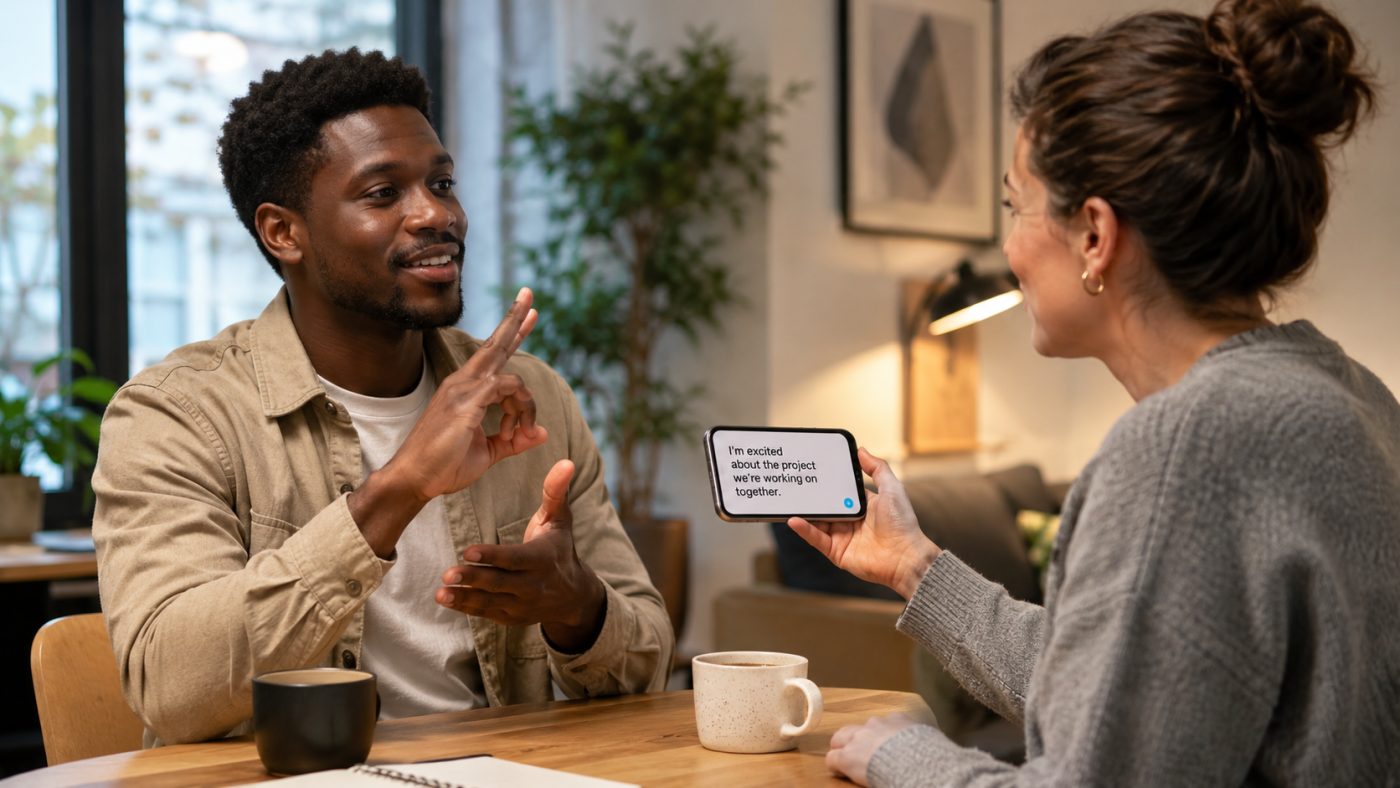
The first version is specifically built for relatively informal, low-stakes situations. Messages, searches, notes, navigation, social media, and short conversations in shops, restaurants, or cafés, for example.
By contrast, Google DeepMind and their advisory committee describe a set of areas where the model explicitly should not be used as a replacement for a qualified human interpreter:
- healthcare, including consultations, emergency care, and mental health counselling
- legal matters, police interrogations, court proceedings, and sworn statements
- formal education and assessment, including exams and special-education meetings
- job interviews, HR matters, disciplinary hearings, and performance reviews
- public administration, where decisions are made about benefits and entitlements
The reasoning is fairly simple: a qualified interpreter does more than translate words. Context, culture, judgement, clarification, and accountability are all part of it.
The committee also points to a risk that is not technical: that public agencies and businesses may be tempted to cut the interpreter budget and let an app take over. It is worth noting that this concern appears in Google's own report.
SL2T is also not designed as a full two-way interpreter. In this version it translates sign language into text, but it does not turn spoken language into sign language. That is an important distinction.
The user is still in the loop
There is another design decision I think is worth noting. When the model translates sign language into text, the text is not simply sent automatically. The user gets to see and edit the translation first.
In Live Transcribe, the user decides when the translated text is shown or read aloud to the other person.
That is another example of something I think we forget far too often when we talk about AI: automation does not have to mean removing the human from the process. Sometimes the best solution is for the AI to do 90 per cent of the work while the human keeps control of the last 10 per cent.
Here it is not just a safety design. It gives the user control over their own language.
Developed together with Deaf users
Google DeepMind also emphasises that the solution has been developed with the participation of Deaf users and organisations.
The project has an advisory body — the AI Sign Language Advisory Committee, or AISLAC — with participation from Deaf organisations, academic institutions, and professional interpreters, among others. The committee has been involved in testing, feedback, risk assessment, and in producing a joint impact report published alongside the model.
That matters particularly with this kind of technology. Because accessibility solutions do not automatically become good just because they technically work.
If you build for a group of people without involving them in the development, you risk solving the problem you think they have. Not necessarily the problem they actually have.
This is about more than sign language
These are also the kinds of examples I use when working as an AI consultant for businesses: not to promise that AI solves everything, but to show where the technology genuinely is today, and what still needs a human.
First and foremost this is of course an important development for people who use sign language. But technologically, I think SL2T shows something bigger.
AI means computers are becoming able to understand more and more kinds of input. We have gone from keyboard → text, to speech → text, and increasingly images, video, and movement → language.
The gap between the way humans naturally communicate and the way computers expect us to communicate is slowly getting smaller.
We used to adapt to the computer. We learned the keyboard. We learned the menus. We learned the right commands. Now the technology is increasingly moving the other way: the computer is trying to understand us.
That, I think, is one of the most interesting things about the current wave of AI, and it is one of the stories I most like to tell when I give talks on AI. Not that we can get yet another chatbot to write an email. But that people who have previously been poorly served by digital interfaces may get new and more natural ways to use technology.
Still only the beginning
The first version of SL2T is limited. In product form it supports American Sign Language to English. It makes mistakes. It cannot be used as a replacement for professional interpreters in serious situations. And a long list of sign languages is still missing.
That does not change the fact that this is an important step. Sign-to-text is now on its way from research project to an actual feature on ordinary smartphones.
According to their own roadmap, Google DeepMind is continuing to work on more sign languages, better understanding, and in the longer term also generation of sign language — that is, the opposite direction, where text is turned into signing.
If development continues, it is not hard to imagine a future where sign language becomes just as natural an input format for our digital systems as speech has become for many of us.
And that is probably an AI feature where the value is a little easier to spot than yet another button that writes our emails for us.
Watch Google DeepMind's own presentation
Google published the announcement in two versions — and it is worth noting that one of them is in American Sign Language. That is a rather fitting detail for this particular project.
Sources: Google DeepMind's blog post “Putting sign language AI into users' hands” (12 August 2026) and the accompanying AISLAC Joint Impact Report for SL2T 1.0, produced together with the advisory committee.
Want a talk on where AI is actually heading?
I give talks on AI grounded in concrete examples rather than hype — what the technology can do today, where it fails, and what it means for perfectly ordinary workflows.
Leave a comment
Got an experience, a counter-argument or a question? Do join in. Your email address will not be published.